What Is CRM Software? A Complete Guide for Small Businesses and Startups
What Is CRM Software?
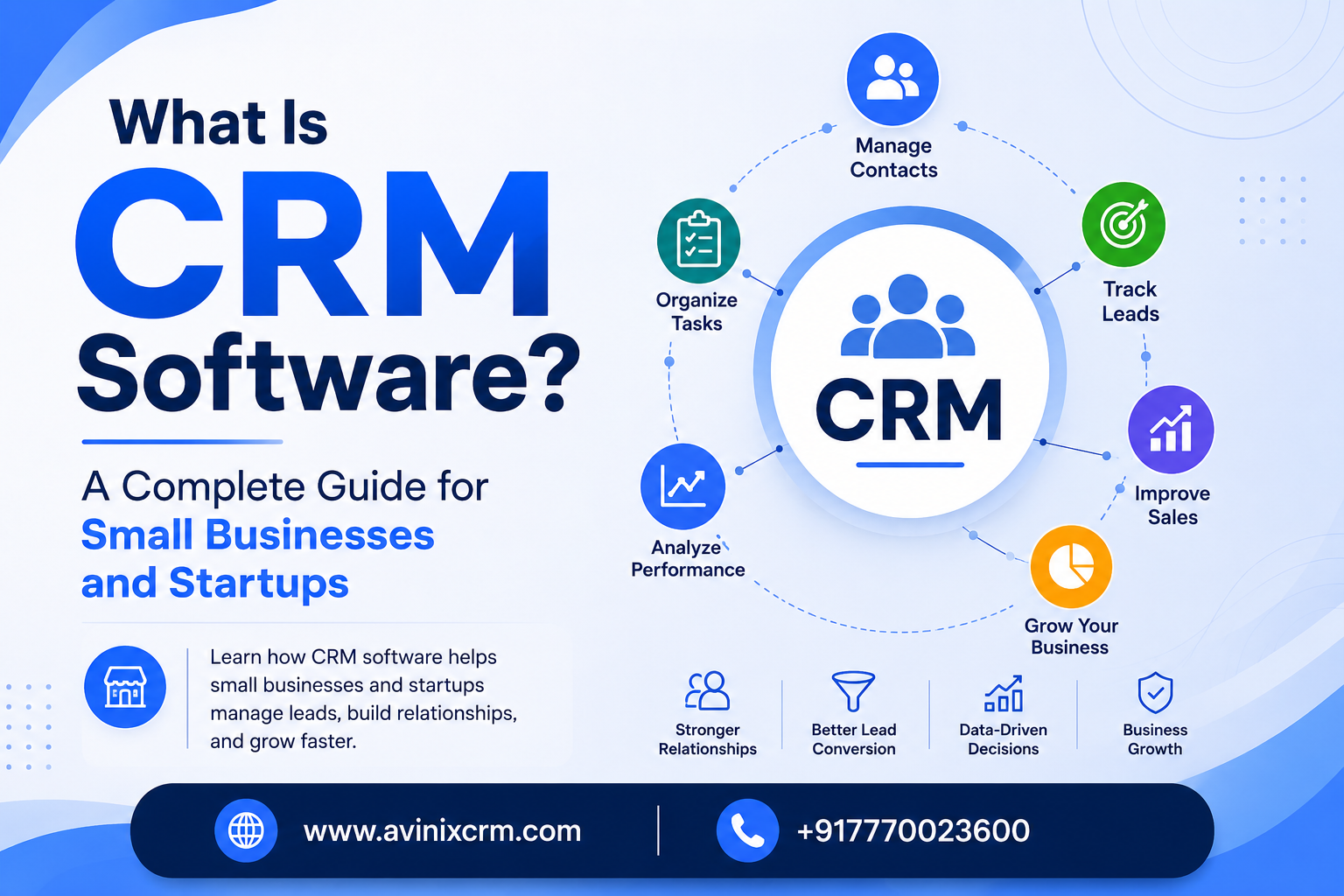
CRM stands for Customer Relationship Management. CRM software is a technology platform that helps businesses manage their relationships and interactions with customers and potential customers.
Instead of keeping customer information in spreadsheets, notebooks, emails, messaging applications, or multiple disconnected systems, a CRM brings important customer and sales information into one centralized platform.
A CRM system can help businesses capture leads, organize customer information, track sales opportunities, manage follow-ups, assign tasks to sales teams, monitor conversations, and understand how deals are progressing through the sales pipeline.
For small businesses and startups, CRM software can be especially valuable because it provides a structured way to manage sales activities as the business grows.
Modern CRM platforms such as Avinix CRM bring lead management, sales pipelines, follow-ups, tasks, WhatsApp conversations, team management, and reporting together in one platform.
In simple terms:
CRM software helps businesses know who their customers are, where each lead is in the sales process, what action needs to happen next, and how the sales team is performing.
Why Do Businesses Need CRM Software?
As a business grows, managing customers and leads manually becomes increasingly difficult.
Imagine a company receives leads from:
- Website forms
- Google Ads
- Meta Ads
- Phone calls
- Social media
- Referrals
- Offline enquiries
Initially, a spreadsheet may seem sufficient. But as the number of leads increases, problems can quickly appear.
A salesperson may forget to call a lead.
Another employee may not know that someone already contacted the customer.
A manager may not know how many leads are currently being followed up.
Some leads may remain untouched for several days.
Sales opportunities can also become difficult to track when different team members maintain separate spreadsheets or notes.
A CRM system solves this problem by providing a centralized place to manage leads, activities, conversations, opportunities, and follow-ups.
How Does CRM Software Work?
A CRM typically follows the customer journey from the first interaction through the sales process and eventually to conversion.
A simplified CRM workflow looks like this:
Lead Generated → Contacted → Qualified → Follow-Up → Proposal → Negotiation → Won/Lost
For example, suppose a customer submits an enquiry through your website.
The CRM can store the customer's information as a new lead.
The salesperson can then contact the lead and update the lead status.
If the customer is interested, the lead can move to a qualified stage.
A follow-up task can be created for the salesperson.
Once the customer receives a quotation, the opportunity can move to the proposal stage.
If the customer starts negotiating, the opportunity moves to negotiation.
Finally, the opportunity can be marked as won or lost.
This gives businesses a clear view of where every opportunity stands.
Avinix CRM, for example, supports a complete lead lifecycle including New Lead, Contacted, Qualified, Follow-Up, Proposal, Negotiation, and Won/Lost stages.
What Are the Main Features of CRM Software?
CRM platforms can offer many different capabilities depending on the product and business requirements.
Here are some of the most important CRM features businesses should understand.
1. Lead Management
Lead management is one of the most important functions of a CRM.
It allows businesses to capture, organize, assign, and track leads throughout the sales process.
A CRM can help your team:
- Capture leads from different sources
- Store customer information
- Assign leads to sales representatives
- Track lead status
- Record customer interactions
- Maintain activity history
- Identify qualified leads
- Monitor follow-ups
Instead of asking, "What happened to this lead?", your team can see its current status and previous activities in the CRM.
Avinix CRM is designed to track leads from multiple sources, assign them to team members, monitor lifecycle stages, and maintain activity history.
2. Sales Pipeline Management
A sales pipeline represents the different stages a potential customer goes through before becoming a customer.
For example:
New Lead → Contacted → Qualified → Proposal → Negotiation → Won
Without a CRM, sales managers may struggle to understand how many opportunities are sitting at each stage.
With a visual sales pipeline, managers can quickly see:
- New opportunities
- Qualified leads
- Pending proposals
- Negotiations
- Won deals
- Lost opportunities
- Pipeline value
Avinix CRM provides a visual Kanban-style sales pipeline where businesses can customize stages, monitor opportunities, track pipeline value, and identify bottlenecks.
3. Follow-Up Management
Following up with potential customers is one of the most important parts of the sales process.
However, follow-ups are also one of the easiest activities for salespeople to forget.
A CRM helps sales teams create and track:
- Follow-up calls
- Meetings
- Tasks
- Reminders
- Customer activities
- Next actions
Instead of relying on memory or handwritten notes, sales representatives can use the CRM to know what needs to be done next.
Avinix CRM includes task and calendar functionality so sales teams can create, assign, and prioritize tasks and connect activities with leads and opportunities.
4. Customer Information Management
A CRM can act as a centralized customer database.
Depending on the CRM, businesses can store information such as:
- Customer name
- Company
- Phone number
- Email address
- Lead source
- Sales stage
- Assigned salesperson
- Previous interactions
- Notes
- Tasks
- Opportunities
- Communication history
This makes it easier for salespeople and managers to understand the complete customer journey.
5. WhatsApp CRM
WhatsApp has become an important communication channel for many businesses.
However, managing customer conversations through individual phones can make it difficult for managers to monitor communication and for teams to maintain a consistent customer history.
A WhatsApp-enabled CRM can bring customer conversations closer to the sales process.
Avinix CRM supports integration with an official Meta WhatsApp Business account, allowing businesses to manage conversations, view chat history, send messages, and organize communication alongside leads.
This can be particularly useful for businesses where WhatsApp plays an important role in generating and converting leads.
6. Task and Activity Management
Sales teams often manage dozens of activities every day.
For example:
- Call a new lead
- Send a quotation
- Schedule a meeting
- Follow up with a prospect
- Send product information
- Contact an existing customer
- Update an opportunity
CRM software allows these activities to be organized and assigned to specific team members.
This improves accountability because managers can see what activities are pending and which team members are responsible for them.
7. Team Management
When multiple salespeople are working with the same leads, management becomes more complicated.
A CRM can help businesses assign leads and monitor team activities.
Managers can use CRM dashboards to understand:
- Number of leads assigned
- Number of qualified leads
- Follow-ups completed
- Open opportunities
- Won deals
- Lost deals
- Pipeline value
- Individual sales performance
Avinix CRM provides team management capabilities for assigning leads, tracking activities, monitoring follow-ups, and reviewing team performance.
8. Reports and Analytics
One of the biggest advantages of CRM software is visibility.
Instead of relying only on individual salesperson updates, managers can use CRM data to understand the sales process.
Common CRM metrics include:
- Total leads
- New leads
- Qualified leads
- Open opportunities
- Won deals
- Lost deals
- Pipeline value
- Follow-ups
- Sales team performance
These reports can help managers identify problems and make better decisions.
For example, if a business generates 500 leads but only a small percentage become qualified opportunities, management may need to investigate lead quality or the qualification process.
Why Is CRM Important for Small Businesses?
Some small businesses believe CRM software is only necessary for large companies.
That is not true.
A small business may actually benefit significantly from implementing a CRM early because it can establish a structured sales process before the business becomes difficult to manage.
A CRM can help small businesses:
Stay organized
Customer and lead information stays in one place.
Reduce missed follow-ups
Salespeople can track upcoming tasks and reminders.
Improve sales visibility
Managers can see what is happening with opportunities.
Improve team accountability
Lead ownership and activities can be tracked.
Create a repeatable sales process
The business can define consistent sales stages.
Scale operations
The company can add more salespeople and leads without relying entirely on spreadsheets.
Why Startups Should Consider CRM Software
Startups typically focus heavily on acquiring customers.
During the early stages, founders or small teams may manage leads through spreadsheets, email, WhatsApp, or personal notes.
This may work when there are only a few prospects.
But as lead volume increases, the sales process can become difficult to control.
A CRM can help startups build a structured sales process from the beginning.
For example:
Marketing generates leads
↓
CRM captures leads
↓
Salesperson receives assigned lead
↓
Lead is contacted
↓
Follow-up tasks are created
↓
Opportunity moves through pipeline
↓
Deal is won
↓
Customer information remains organized
This creates a repeatable process that can grow with the business.
CRM Software vs Excel: What's the Difference?
Many businesses start by managing leads using Microsoft Excel or Google Sheets.
Spreadsheets are useful for basic data management, but they are not specifically designed for managing complex customer relationships and sales processes.
| CRM Software | Excel / Spreadsheet |
|---|---|
| Designed for customer and sales management | General-purpose data management |
| Lead lifecycle tracking | Usually requires manual tracking |
| Sales pipeline | Requires custom spreadsheet setup |
| Follow-up tasks | Manual reminders |
| Team activity tracking | Limited |
| Customer interaction history | Requires manual entry |
| Sales dashboards | Requires manual reports |
| Lead assignment | Usually manual |
| Workflow-oriented | Data-oriented |
For a small number of leads, spreadsheets may be sufficient.
But when a business has multiple salespeople, many leads, frequent follow-ups, and multiple sales stages, dedicated CRM software can provide a much more structured system.
What Are the Benefits of Using CRM Software?
A well-implemented CRM can provide several business benefits.
Better Lead Organization
All leads can be stored and categorized in one place.
Faster Follow-Ups
Salespeople know which leads require attention.
Improved Sales Visibility
Managers can see opportunities throughout the sales pipeline.
Better Team Accountability
Lead assignments and activities can be tracked.
Centralized Customer Information
Customer data and interactions are easier to access.
Improved Customer Communication
Teams can maintain a more organized history of customer conversations.
Better Decision-Making
Managers can use sales data and reports to understand business performance.
Easier Business Scaling
A structured CRM process can make it easier to handle increasing numbers of leads and salespeople.
When Should a Small Business Start Using CRM Software?
There is no fixed number of employees or leads at which a business must adopt CRM software.
However, some signs indicate that your business may need one.
You should consider CRM software if:
- You are losing track of leads.
- Salespeople forget follow-ups.
- Customer information is spread across different spreadsheets.
- Multiple employees communicate with the same customers.
- Managers cannot easily see sales pipeline status.
- You don't know which leads are being followed up.
- You have difficulty measuring sales team performance.
- Your business is generating more leads than your team can comfortably manage manually.
If any of these problems sound familiar, CRM software may help bring more structure to your sales process.
How to Choose the Right CRM Software
Choosing a CRM should not be based only on the number of features.
The right CRM should fit your business process.
Before selecting a CRM, consider the following:
1. Ease of Use
Your sales team should be able to understand and use the platform without unnecessary complexity.
2. Lead Management
Make sure the CRM can capture, organize, assign, and track leads.
3. Sales Pipeline
Look for customizable sales stages that match your actual sales process.
4. Follow-Up Management
Check whether the CRM provides tasks, reminders, calendars, and activity tracking.
5. Communication
If your business relies heavily on WhatsApp, check whether the CRM supports WhatsApp integration.
6. Team Management
Managers should be able to assign leads and monitor team activities.
7. Reporting
The CRM should provide useful information about leads, opportunities, pipeline value, and sales performance.
8. Customization
Every business has a different sales process. Custom fields, views, pipelines, and workflows can make a CRM more useful.
9. Scalability
Choose software that can grow with your business.
Avinix CRM provides customizable fields, views, flexible pipelines, and multiple workspaces so businesses can adapt the CRM to different sales operations and teams.
Who Can Use CRM Software?
CRM software can be useful across many industries.
Startups
Manage early-stage leads, customers, and sales activities.
Small and Medium Businesses
Organize sales operations, customer communication, and team activities.
Sales Teams
Track leads, opportunities, tasks, and follow-ups.
Real Estate Businesses
Manage property enquiries, prospects, follow-ups, and sales opportunities.
Automobile Businesses
Track vehicle enquiries, customer follow-ups, test-drive opportunities, and sales stages.
Education Businesses
Manage student enquiries, counselling activities, follow-ups, and admissions.
Healthcare Businesses
Organize enquiries, appointments, customer communication, and follow-up activities where appropriate.
Service Businesses
Track enquiries, proposals, follow-ups, customers, and sales opportunities.
Is CRM Software Worth It for a Small Business?
For many growing businesses, the value of CRM software is not simply about storing customer information.
The real value comes from creating a structured and measurable sales process.
A business that knows:
- Where its leads come from
- Who owns each lead
- Which leads need follow-up
- Which opportunities are close to conversion
- Which salesperson is handling each opportunity
- How much business is in the pipeline
- Which deals have been won or lost
has significantly better visibility than a business relying on scattered spreadsheets and individual notes.
The goal of CRM is therefore not just to store customer data.
The goal is to help businesses turn customer information into organized sales activity and better customer relationships.
Avinix CRM: Manage Leads, Accelerate Sales, Grow Your Business
Avinix CRM is an all-in-one CRM platform designed for startups, SMEs, growing businesses, enterprises, and sales teams.
It brings important sales activities into one platform, including:
- Lead management
- Sales pipeline management
- Follow-up tracking
- Task management
- WhatsApp CRM
- Team management
- Sales reporting
- Custom fields
- Custom views
- Flexible pipelines
- Multiple workspaces
The platform is designed to help businesses organize leads, track customer activities, manage sales opportunities, and improve visibility across their sales teams.
If your business is still managing leads through spreadsheets, notebooks, separate WhatsApp conversations, or disconnected tools, moving to a dedicated CRM can be an important step toward creating a more organized sales process.
Ready to organize your leads and sales process?
Contact Avinix CRM at +91 77700 23600 to learn more or request a demo.
Frequently Asked Questions About CRM Software
What does CRM stand for?
CRM stands for Customer Relationship Management. CRM software helps businesses manage customer information, leads, sales opportunities, communications, follow-ups, and customer relationships.
What is CRM software used for?
CRM software is used to manage leads, customer information, sales pipelines, follow-ups, tasks, communication, team activities, and sales performance.
Is CRM software useful for small businesses?
Yes. Small businesses can use CRM software to organize leads, improve follow-ups, manage sales pipelines, and create a structured sales process.
Is CRM useful for startups?
Yes. Startups can use CRM software to organize early customers and prospects and establish a repeatable sales process as they grow.
Can CRM software replace Excel?
CRM software can replace spreadsheets for many sales and customer management activities. Excel remains useful for general data analysis, but CRM systems are specifically designed around customer relationships and sales workflows.
Can CRM software manage WhatsApp conversations?
Some CRM platforms support WhatsApp integration. For example, Avinix CRM supports an official Meta WhatsApp Business integration that brings conversations and chat history into the CRM environment.
What is a sales pipeline in CRM?
A sales pipeline is a visual representation of the stages an opportunity moves through during the sales process, such as New Lead, Contacted, Qualified, Proposal, Negotiation, and Won or Lost.
How much does CRM software cost?
CRM pricing varies depending on the provider, features, number of users, integrations, storage, and business requirements. Businesses should compare pricing based on the features they actually need rather than choosing solely on price.
How do I know if my business needs CRM software?
If your business is losing track of leads, missing follow-ups, using multiple spreadsheets, struggling to monitor sales opportunities, or finding it difficult to measure sales team performance, CRM software may be worth considering.
Conclusion
CRM software is no longer only a tool for large corporations.
For startups, small businesses, SMEs, and growing sales teams, CRM can provide the structure needed to manage leads, follow-ups, customer communication, sales opportunities, and team activities effectively.
Instead of asking your team to remember every lead and follow-up, a CRM creates a centralized system where sales information and activities can be organized and tracked.
The right CRM can help your business move from:
Scattered Leads → Organized Leads
Missed Follow-Ups → Planned Activities
Unclear Sales → Visible Pipeline
Disconnected Teams → Centralized Management
Manual Reporting → Better Sales Visibility
If your business is ready to bring leads, sales pipelines, follow-ups, customer conversations, and team activities into one platform, Avinix CRM can help you build a more organized sales process.
Avinix CRM — Manage Leads. Accelerate Sales. Grow Your Business.
Call: +91 77700 23600