Manage Leads. Accelerate Sales. Grow Your Business.
Avinix CRM is an all-in-one CRM platform that helps businesses manage leads, follow-ups, sales pipelines, teams, tasks, WhatsApp conversations, and customer activities from one powerful platform.

Trusted by growing businesses









Track Every Lead
Keep every lead, conversation, activity, and follow-up organized in one place.
Never Miss a Follow-Up
Track calls, meetings, tasks, reminders, and follow-ups.
Visualize Your Sales Pipeline
Use a Kanban-style pipeline to understand exactly where every opportunity stands.
WhatsApp CRM Integration
Connect WhatsApp conversations with leads and manage customer messaging from your CRM.
Learn more →Leads & Prospects
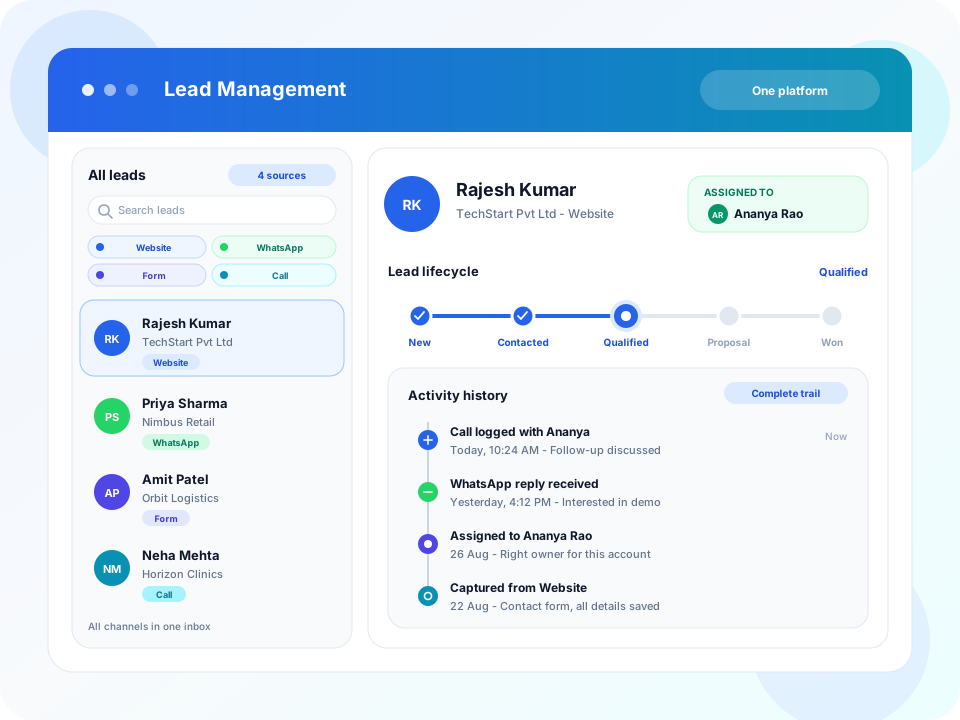
Capture, Organize, and Track Every Lead
From first contact to conversion, Avinix CRM keeps every enquiry in one inbox. Each prospect has an owner, stage, notes, and a full conversation history so anyone can pick up.
- Bring website, WhatsApp, call, walk-in, and integrated portal leads into one inbox
- Assign owners so nothing sits unattended
- Profile with stage, notes, and next action
- History stays with the prospect when work is reassigned
WhatsApp CRM
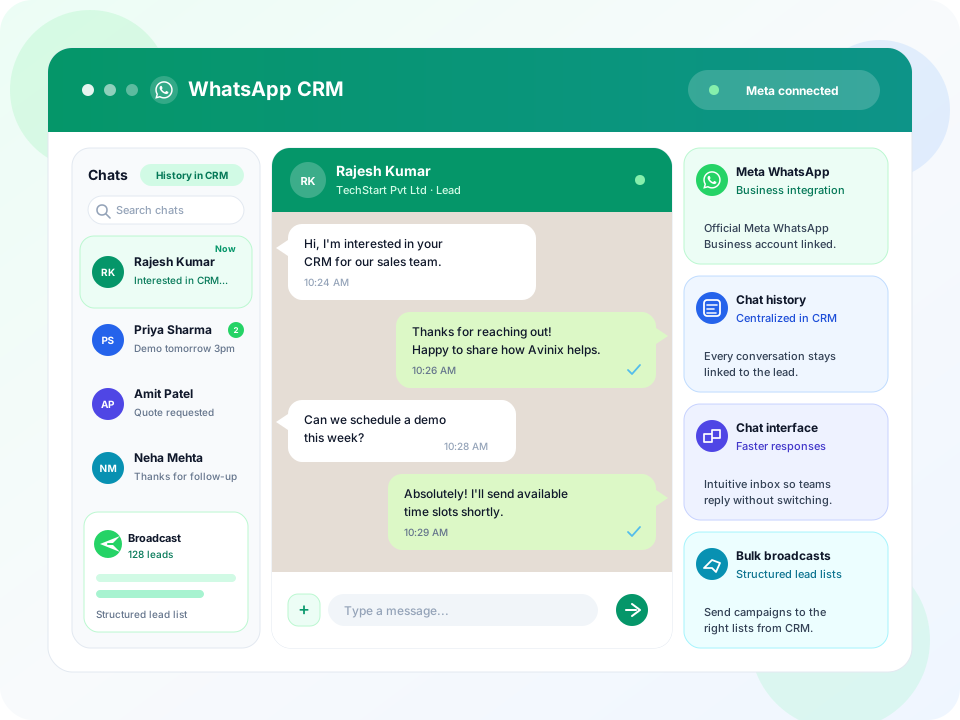
Bring WhatsApp Conversations Into Your CRM
Connect your official Meta WhatsApp Business account. Manage chats and history next to the lead they belong to.
- Official Meta WhatsApp Business integration
- Chat history linked to the lead record
- Reply from a familiar chat interface
- Context stays when another teammate picks up
Meta Lead & Conversion API
Ad Leads Into Your CRM. Conversions Back to Meta.
Connect Meta Lead Ads so Instant Form submissions land in Avinix CRM with an owner and a next action. Send conversion events back through Meta Conversion API so campaigns can optimize on real sales activity, not only browser pixels.
- Meta Lead Ads sync into the CRM inbox
- Form fields map onto the prospect record
- Conversion API sends Lead and later-stage events to Meta
- Campaigns learn from CRM follow-up, not only form fills

Call Tracking & Recording
Track Every Call. Play Back Every Conversation.
Log incoming and outgoing calls against the prospect, capture duration and outcome, and keep a recording on the record.
- Time, duration, and outcome on every call
- Play recordings from the prospect record
- Review missed calls and schedule the callback
- Managers coach from real conversations

Lead Source Integrations
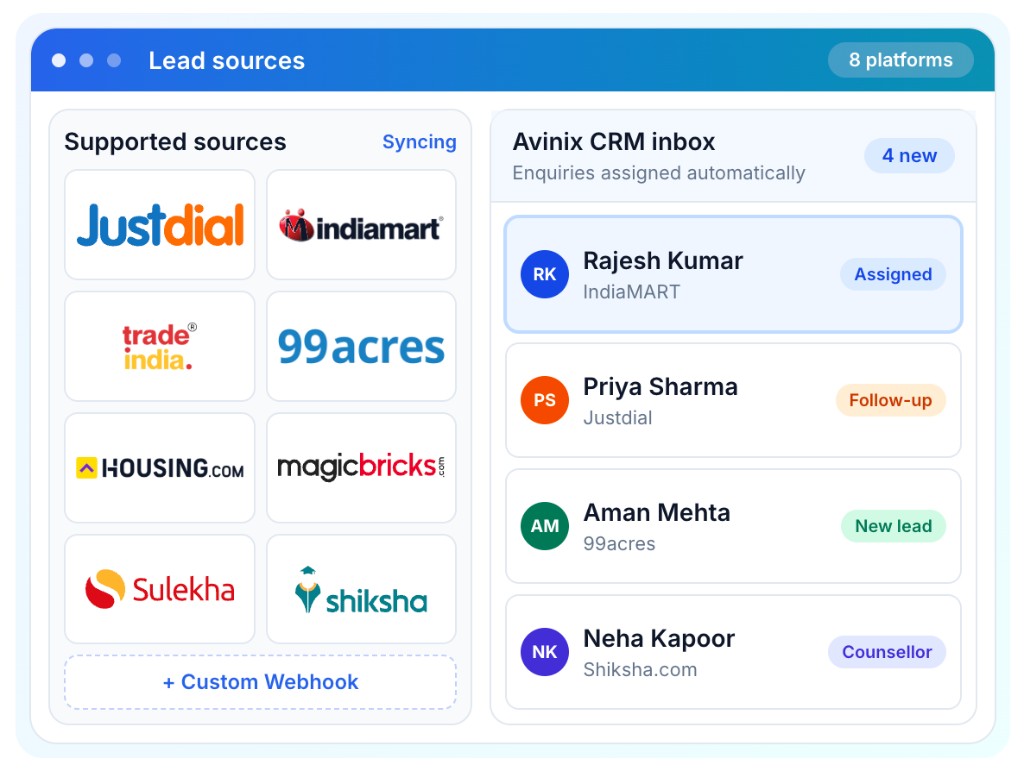
All Your Leads. One CRM. One Team.
Stop checking Justdial, IndiaMART, and every portal separately. Enquiries sync into one CRM inbox so your team can assign, follow up, and convert from a single place.
- Marketplace, property, and education leads land in one inbox
- Assign an owner before the enquiry goes cold
- Follow up from the CRM, not from eight dashboards
- Connect website forms and other tools through a webhook
Sales Pipeline
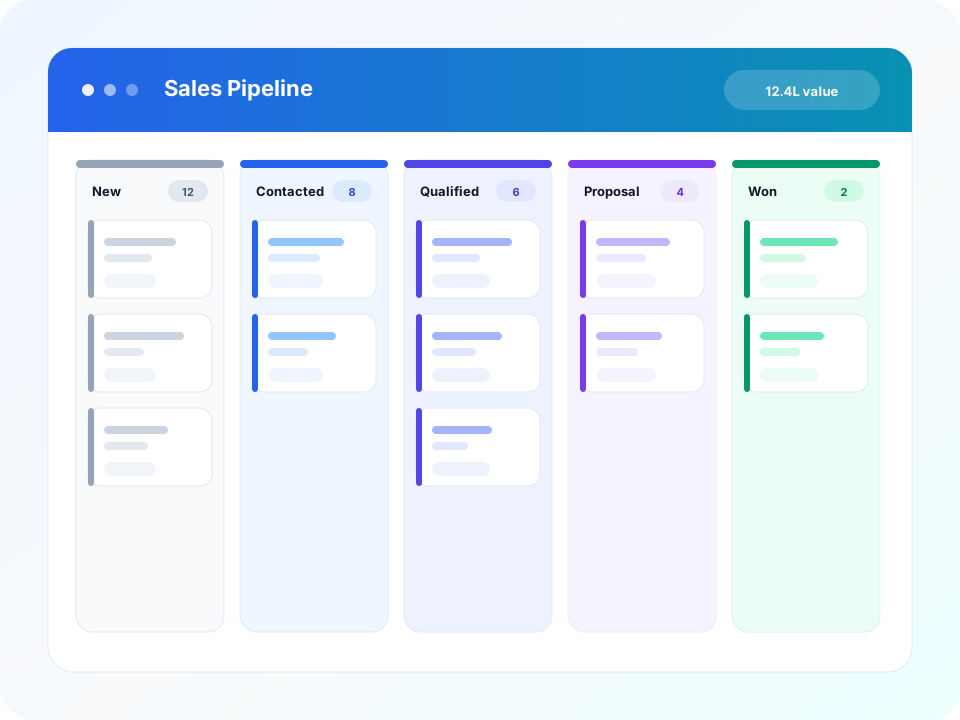
See Your Entire Sales Pipeline at a Glance
Use a visual Kanban board to track opportunities, move deals between stages, and spot bottlenecks before they cost you revenue.
- Kanban-style pipeline that matches how you sell
- Customizable sales stages for your workflow
- Track opportunity value at every stage
- Give managers a live view of what is closing
Tasks & Calendar
Assign the Work. See the Day on a Calendar.
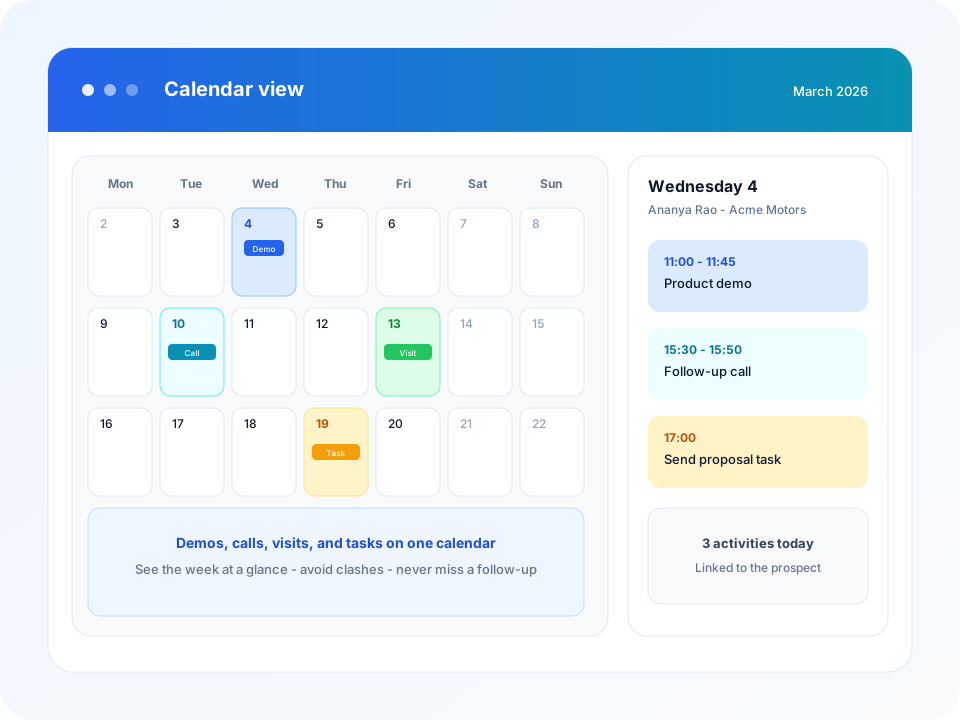
Create and assign tasks on the lead or deal, then view demos, calls, visits, and follow-ups on a calendar so nothing sits in a chat.
- Assign and prioritize tasks across the team
- See what is overdue and still open
- Month and day views of demos, calls, and visits
- Each event is linked to the prospect
Target Lists
Group the Right Prospects. Run Focused Outreach.
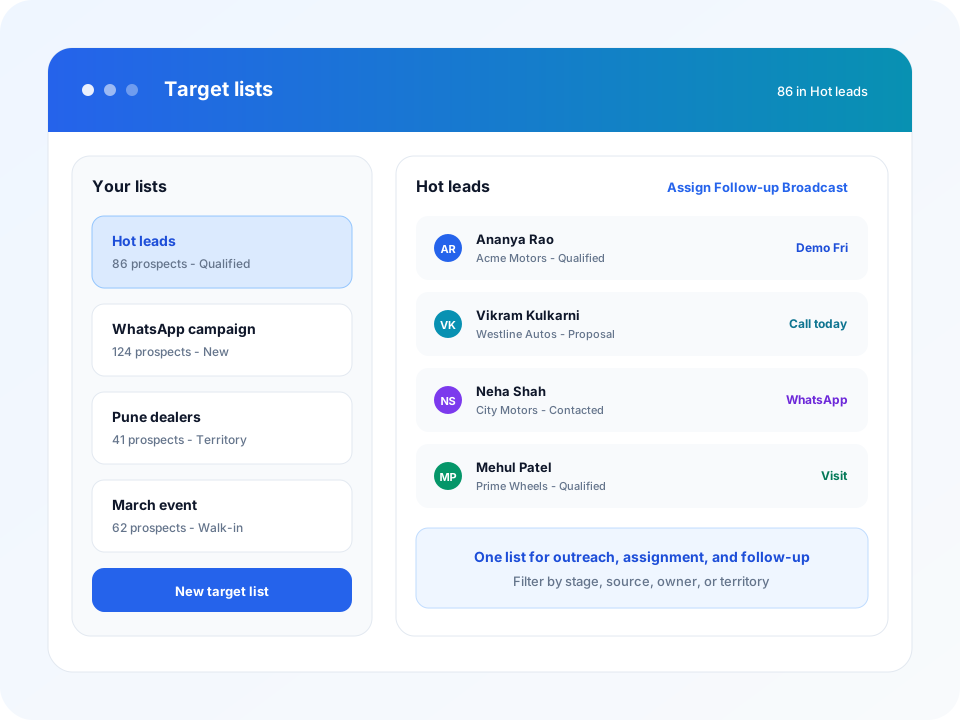
Build lists for campaigns, territories, events, or hot leads. Assign, follow up, or broadcast to the list instead of hunting through a mixed inbox.
- Lists by campaign, territory, stage, or source
- See who is on the list and the next action
- Assign or follow up across the whole list
- Use lists for WhatsApp outreach where policy allows
Workspaces
Separate Teams, Branches, and Businesses — In One Login.
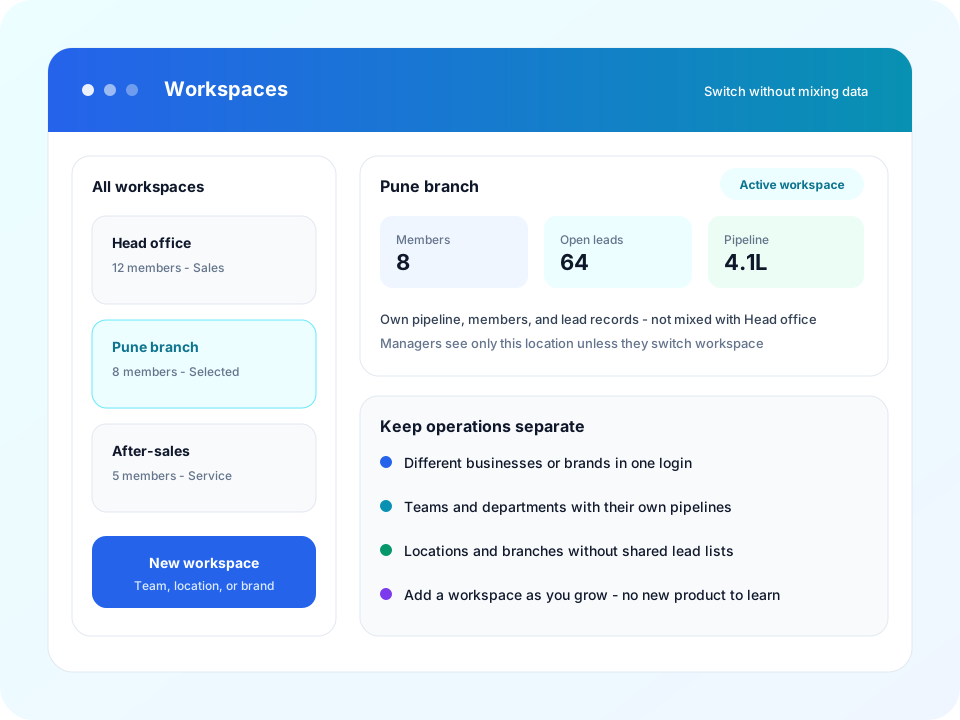
Give each location, department, or brand its own workspace. Pipelines, members, and lead records stay unmixed.
- Workspaces for businesses, branches, or departments
- Own pipeline, members, and leads in each workspace
- Managers see the workspace they are in
- Add a workspace as you grow
Dashboards
Team Performance and Individual Tracking
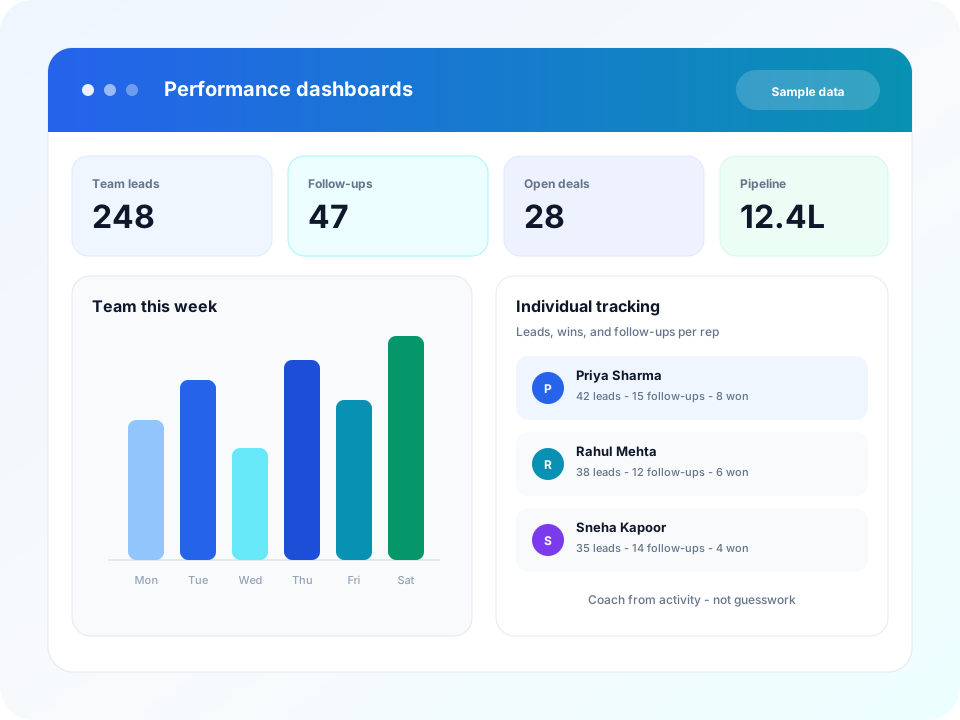
See how the floor is doing and how each person is doing. Review leads, follow-ups, pipeline, and wins so coaching is based on activity. Numbers in the graphic are sample demo data.
- Team view of leads, follow-ups, and pipeline
- Individual tracking of each rep's activity and wins
- Spot who needs help and who is closing
- Weekly activity for coaching in the moment
Testimonials
What Teams Say About Avinix CRM
Businesses use Avinix CRM to organize leads, follow-ups, pipelines, and team activities.
“Avinix CRM helped our team organize leads and follow-ups in one place. Pipeline visibility improved and our sales process feels much more structured.”
Sales Manager
Operations Lead, Growing SME
“WhatsApp integration was important for us. Managing customer conversations alongside leads and pipeline stages has made daily follow-ups much easier.”
Business Owner
Founder, Start-up
“Our team can track activities, assignments, and deal progress from one dashboard. It gives managers better visibility without extra reporting work.”
Team Lead
Sales Manager, Sales Team
Customization
Your CRM. Your Workflow.
Adapt Avinix CRM to your business with custom fields, custom views, and flexible pipelines.
Custom Fields
Capture the data your business needs
Custom Views
Organize information your way
Flexible Pipelines
Align stages with your sales process
Who Is Avinix CRM For?
Whether you're a start-up, SME, enterprise, or sales team — Avinix CRM adapts to your needs.
For Start-ups
Manage your first leads, sales processes, and growing customer base without operational chaos.
Learn more →For SMEs
Bring sales, customer communication, follow-ups, and team management into one platform.
Learn more →For Large Businesses
Organize teams, workspaces, pipelines, customer activities, and reporting at scale.
Learn more →For Sales Teams
Track every lead, follow-up, task, conversation, and opportunity.
Learn more →