CRM with WhatsApp Integration: Complete Guide
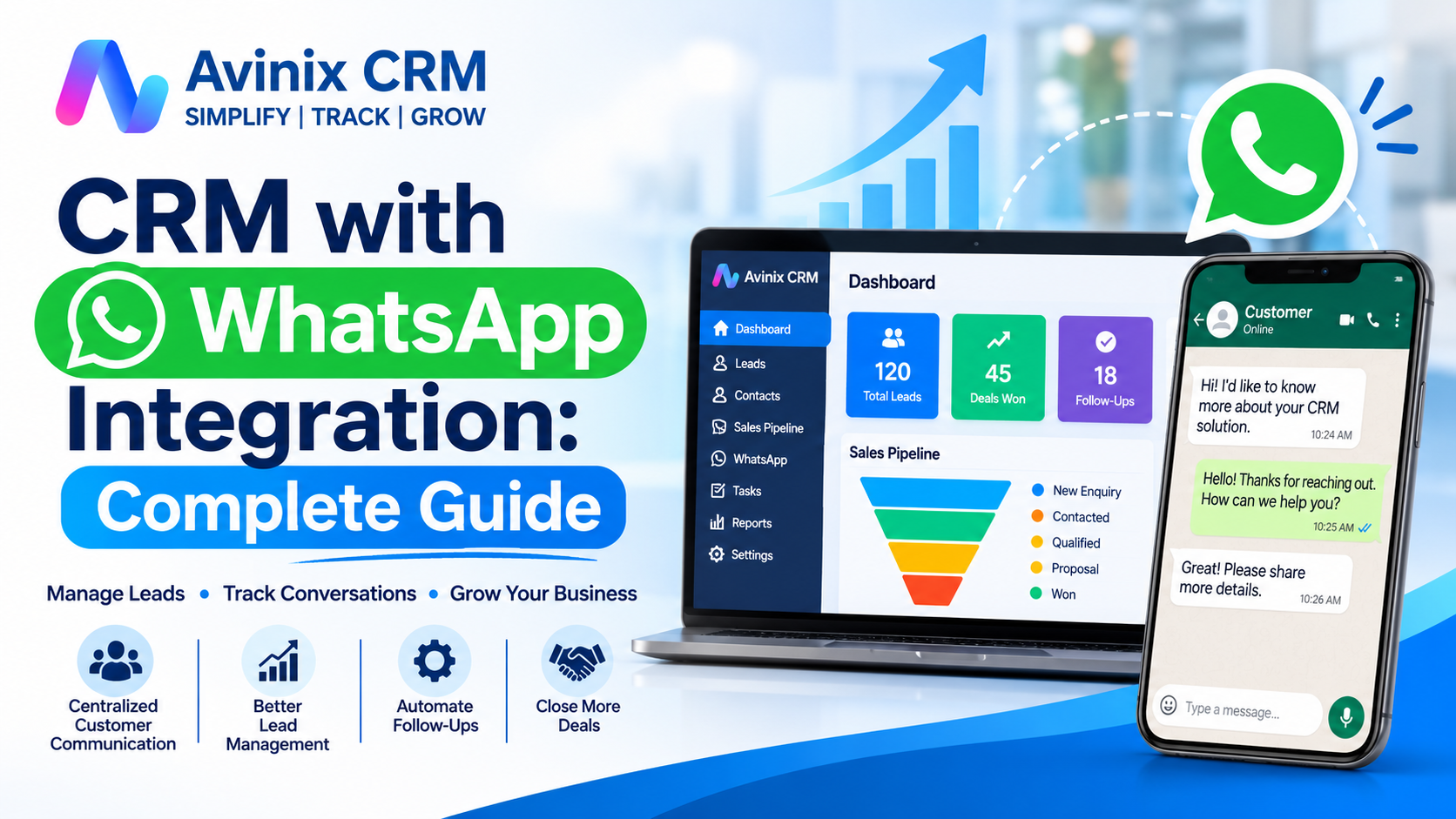
Imagine receiving 50 customer enquiries through WhatsApp in a single day. Your sales team responds to some, forgets others, and follows up with a few using personal phones. A manager wants to know which enquiries are interested, which customers have received quotations, and which deals are close to conversion.
Without a proper system, managing these conversations becomes difficult as the business grows.
This is where CRM with WhatsApp integration becomes valuable. It connects customer conversations with lead records, sales activities, and follow-up processes, allowing businesses to manage customer relationships more systematically.
Instead of treating WhatsApp as an isolated messaging application, businesses can make it part of their overall sales and customer management process.
In this guide, we will explore what CRM with WhatsApp integration means, how it works, its benefits, important features, implementation steps, and how businesses can choose the right solution.
1. What Is CRM with WhatsApp Integration?
CRM with WhatsApp integration is a customer relationship management system that connects WhatsApp Business messaging with a centralized CRM platform.
It allows businesses to manage customer conversations alongside lead information, sales activities, follow-ups, and customer records.
In a traditional setup, WhatsApp conversations remain on individual mobile phones. Customer details may be stored separately in spreadsheets, and sales managers have limited visibility into communication between agents and prospects.
With an integrated CRM, WhatsApp becomes part of the customer's business record.
For example, when a prospective customer contacts a company through WhatsApp, the sales team can manage the conversation alongside relevant lead information and sales activities.
A CRM with WhatsApp integration can help businesses:
- Manage WhatsApp conversations from a centralized platform.
- Maintain customer communication history.
- Organize enquiries and prospect information.
- Support team-based customer communication.
- Use approved message templates for structured communication.
- Send quick replies to frequently asked questions.
- Manage appropriate customer lists for WhatsApp outreach.
- Connect conversations with sales pipelines and follow-up activities.
The objective is not simply to send WhatsApp messages. It is to ensure that customer communication is organized, accessible, and connected to the business process.
2. How Does WhatsApp CRM Integration Work?
WhatsApp CRM integration generally works by connecting a business's WhatsApp Business account with CRM software through the official WhatsApp Business Platform API.
This connection allows supported WhatsApp communication to be managed through the CRM instead of relying entirely on individual phones.
Here is a simplified explanation of the process.
Step 1: Connect Your WhatsApp Business Account
The business connects its official WhatsApp Business account through the supported integration process.
The WhatsApp Business Platform provides the communication infrastructure required for businesses to exchange messages through integrated applications.
Step 2: Connect WhatsApp with CRM Software
The CRM establishes a connection through the official Meta WhatsApp Business API.
This enables supported messaging functionality to operate through the CRM interface.
Step 3: Manage Customer Conversations
When customers communicate through WhatsApp, the sales or support team can access conversations through the integrated CRM interface.
Depending on the CRM's capabilities, conversations can be associated with customer or lead records.
Step 4: Organize Customer Information
The business can manage customer information, lead ownership, conversation history, and sales activities in one system.
This helps employees understand previous interactions before responding to customers.
Step 5: Manage Follow-Ups and Communication
Sales representatives can continue conversations, use available templates and quick replies, and manage the next action associated with a prospect.
The exact functionality depends on the CRM software and the integration.
3. Why Do Businesses Need CRM with WhatsApp Integration?
WhatsApp is widely used for business communication, but relying entirely on individual WhatsApp accounts creates operational challenges.
Consider a business with five sales executives. Each executive communicates with customers through WhatsApp. When one employee takes leave or leaves the organization, accessing previous conversations and understanding customer commitments can become difficult.
A CRM integration helps address these challenges.
Centralized Customer Communication
Instead of keeping important customer conversations scattered across different phones, businesses can maintain communication history within their CRM.
This gives authorized team members access to relevant customer context.
Better Lead Management
WhatsApp enquiries can be managed alongside other business leads.
Businesses can organize prospects based on their requirements, interest levels, sales stages, and assigned representatives.
Improved Team Coordination
When customer conversations are available in the CRM, another authorized team member can understand previous communication and continue the discussion.
This reduces dependency on individual employees.
More Organized Follow-Ups
Customer conversations often include important commitments, such as scheduling a product demonstration, sharing a quotation, or arranging a callback.
A CRM helps connect these activities with lead records, reminders, and tasks.
Consistent Customer Communication
Sales teams frequently answer similar questions about pricing, services, products, appointments, and business information.
Saved templates and quick replies help standardize common responses.
Better Sales Visibility
Managers can review lead status, follow-up activities, and sales pipeline information rather than depending entirely on individual employee updates.
4. Important Features of CRM Software with WhatsApp Integration
Not every CRM offers the same WhatsApp capabilities. Businesses should evaluate the available functionality before selecting a platform.
Here are some important features to consider.
4.1 Official Meta WhatsApp Business API Integration
Official Meta WhatsApp Business API integration provides the supported connection between WhatsApp Business and CRM applications.
It is important to distinguish official API-based integration from unofficial WhatsApp automation methods.
Businesses should evaluate whether their CRM uses the official WhatsApp Business Platform and whether the integration supports their communication requirements.
Learn more about WhatsApp Official Meta API Integration.
4.2 Centralized WhatsApp Chat Management
A centralized chat interface helps sales teams manage customer conversations from the CRM.
The important advantage is that customer communication can remain connected to the relevant lead instead of being isolated on an employee's personal phone.
When evaluating this feature, check whether the CRM maintains conversation history and allows authorized team members to access the relevant customer context.
Explore WhatsApp CRM.
4.3 WhatsApp Message Templates
Message templates help businesses standardize structured customer communication.
Examples include:
- Initial enquiry responses.
- Product or service information.
- Appointment confirmations.
- Demonstration invitations.
- Customer updates.
- Follow-up messages.
On the WhatsApp Business Platform, business-initiated messages must follow applicable template approval and messaging requirements.
A CRM with template management makes it easier for teams to organize and reuse their approved messages.
Explore WhatsApp Template Management.
4.4 Quick Replies
Quick replies are saved responses that employees can insert into conversations without repeatedly typing the same information.
For example, a business can save responses for:
- Office address.
- Business hours.
- Product availability.
- Callback confirmation.
- Appointment information.
- Frequently asked questions.
Quick replies are particularly useful for teams that handle a high volume of repetitive customer questions.
Explore WhatsApp Quick Replies.
4.5 Bulk WhatsApp Broadcast
Businesses sometimes need to communicate with an appropriate group of existing customers or prospects.
Bulk WhatsApp broadcast functionality can help organize structured outreach to selected customer lists.
Possible applications include:
- Product announcements.
- Service updates.
- Event invitations.
- Relevant promotional communication.
- Customer notifications.
However, businesses must follow WhatsApp's applicable opt-in, template, quality, and messaging policies. Bulk messaging should not be treated as unrestricted messaging to purchased or scraped phone-number lists.
Explore Bulk WhatsApp Broadcast.
4.6 Lead Management and Assignment
WhatsApp conversations become more valuable when businesses can connect them with organized lead records.
A CRM should help teams understand:
- Who the customer is.
- Which product or service they are interested in.
- Who is responsible for the enquiry.
- What communication has already taken place.
- What needs to happen next.
Lead assignment also helps businesses establish clear responsibility for incoming enquiries.
Explore Lead Management.
4.7 Sales Pipeline Management
A sales pipeline provides a visual overview of the customer journey.
Businesses can organize opportunities into stages such as:
- New Enquiry
- Contacted
- Qualified
- Product Demonstration
- Quotation Shared
- Negotiation
- Won or Lost
When WhatsApp conversations are connected with lead records, sales representatives can understand customer communication in relation to the current sales stage.
Explore Sales Pipeline Management.
4.8 Follow-Up Management
Customer communication should not stop after the first WhatsApp message.
Sales representatives may need to call customers, schedule meetings, share additional information, or reconnect after a few days.
CRM-supported follow-up management helps teams keep these activities organized.
Explore Follow-Up Management.
5. Benefits of Using WhatsApp CRM for Different Businesses
CRM with WhatsApp integration can support different industries because customer communication plays an important role in many business processes.
Automobile Dealerships
Automobile dealerships receive enquiries about vehicle prices, availability, test drives, finance options, and exchange offers.
With WhatsApp CRM integration, dealership teams can organize customer enquiries, manage conversations, track sales stages, and coordinate follow-ups.
Real Estate Businesses
Property businesses communicate with prospects about property availability, pricing, site visits, and documentation.
A CRM helps sales teams organize property enquiries and track the next steps for every prospective buyer.
Education and Coaching Institutes
Educational institutions receive enquiries about courses, admission procedures, fees, batches, and counselling sessions.
WhatsApp conversations connected with lead records can help admission counsellors maintain communication context and organize follow-ups.
Healthcare Businesses
Healthcare organizations may use business messaging for appointment-related communication and customer enquiries.
They should implement appropriate access controls and privacy safeguards when handling sensitive information.
IT and Software Companies
Software businesses often receive enquiries about product demonstrations, subscriptions, technical requirements, and pricing.
CRM integration helps sales teams manage discussions, track opportunities, and coordinate product demonstrations.
Retail and Service Businesses
Retailers and service providers can use WhatsApp for product enquiries, appointment communication, service updates, and customer support.
A CRM helps organize these interactions as the customer base grows.
6. WhatsApp Business App vs CRM with WhatsApp Integration
The WhatsApp Business application and a CRM with WhatsApp integration serve different business requirements.
The WhatsApp Business app can be useful for smaller businesses that manage customer conversations through a limited number of users.
A CRM integration becomes more valuable when businesses need structured lead management, team coordination, sales tracking, and centralized customer information.
| Parameter | WhatsApp Business App | CRM with WhatsApp Integration |
|---|---|---|
| Customer messaging | Yes | Yes, through supported integration |
| Business profile | Yes | Uses connected business account |
| Customer organization | Basic labels | Structured CRM lead records |
| Team coordination | Limited app capabilities | CRM-based team workflows |
| Lead assignment | Limited | Supported CRM assignment |
| Sales pipeline | Not a complete CRM pipeline | Available in CRM platforms that support it |
| Follow-up management | Basic tools | CRM reminders and tasks |
| Customer activity history | WhatsApp chat history | CRM-linked customer activities |
| Sales reporting | Limited | CRM reporting capabilities |
The right choice depends on business size, team structure, communication volume, and sales management requirements.
7. How to Choose the Best CRM with WhatsApp Integration
Selecting CRM software requires more than checking whether WhatsApp integration is available.
Businesses should evaluate the complete customer management experience.
Check Official WhatsApp Integration
Confirm whether the CRM connects through the official Meta WhatsApp Business Platform.
Understand the onboarding requirements and supported messaging functionality.
Evaluate Chat History Management
Check whether conversations remain connected to the relevant customer or lead record.
This is particularly important when multiple employees manage customer enquiries.
Review Team Management Capabilities
Look for lead ownership, user management, and appropriate access permissions.
Check Follow-Up and Sales Management
WhatsApp communication should work alongside lead management, tasks, reminders, and sales pipeline activities.
Understand WhatsApp Messaging Costs
WhatsApp messaging charges may be separate from CRM subscription fees.
Review Meta's latest pricing applicable to your business account, destination market, message category, and usage.
Also check whether the CRM provider charges additional setup or platform fees.
Consider Mobile Accessibility
Sales representatives frequently work outside the office.
A mobile-first CRM can help employees access customer records, sales activities, and supported communication functionality while working remotely or visiting customers.
Evaluate Ease of Adoption
A powerful CRM is not useful if employees find it difficult to operate.
Choose software that provides a practical interface and supports your existing sales process.
8. WhatsApp CRM Integration: Step-by-Step Implementation
A structured implementation process helps businesses adopt WhatsApp CRM more effectively.
Step 1: Identify Your Business Requirements
Determine how your business uses WhatsApp.
Identify whether your main requirement is lead management, customer support, sales communication, appointment management, or customer updates.
Step 2: Prepare Your Business Account
Set up the required Meta business assets and WhatsApp Business account.
Ensure that your business has the necessary access and permissions for integration.
Step 3: Select Suitable CRM Software
Evaluate CRM platforms based on official integration, customer records, messaging capabilities, team management, follow-ups, and pricing.
Step 4: Connect WhatsApp to Your CRM
Complete the supported WhatsApp Business API onboarding and connection process.
Follow the CRM provider's instructions for account configuration.
Step 5: Organize Your Lead Records
Define the customer information your sales team needs to capture.
For example, a business may maintain customer name, phone number, enquiry source, product interest, lead owner, and sales stage.
Step 6: Configure Templates and Quick Replies
Prepare appropriate message templates and everyday quick replies.
Ensure that templates are approved where required and communication follows applicable WhatsApp policies.
Step 7: Train Your Employees
Explain how employees should manage conversations, update lead records, assign enquiries, and schedule follow-ups.
Step 8: Monitor Adoption and Performance
Review whether employees are using the CRM consistently.
Monitor lead ownership, follow-up activities, customer communication, and pipeline progress.
9. WhatsApp CRM Best Practices Businesses Should Follow
Implementing integration is only the beginning. Businesses should establish communication practices that protect customer experience and maintain operational discipline.
Obtain appropriate customer permission: Obtain the required opt-in before sending WhatsApp messages. Clearly identify your business and explain the communication customers can expect.
Use relevant messages: Send communication that is relevant to the customer's enquiry, relationship, or expressed interests.
Respect opt-out requests: Provide clear ways for customers to stop receiving messages and honor their requests.
Follow template requirements: Use approved templates for business-initiated messages where required.
Avoid excessive messaging: Repeated promotional messages can negatively affect customer experience and business messaging quality.
Maintain accurate customer records: Keep contact information, lead ownership, and communication history organized.
Establish employee responsibilities: Define who handles new enquiries, follow-ups, customer requests, and escalations.
Review communication quality: Monitor customer feedback, message quality, and team response practices.
For official requirements, refer to the WhatsApp Business Messaging Policy and Meta's WhatsApp opt-in documentation.
10. How Avinix CRM Helps Businesses Manage WhatsApp and Sales in One Platform
Businesses need more than a messaging application to manage their complete sales process.
They need a system that connects customer conversations with leads, sales opportunities, employee activities, and follow-ups.
Avinix CRM, developed by Avinix Digital Pvt. Ltd., is an all-in-one mobile-first CRM platform designed to help startups, small businesses, SMEs, and growing organizations simplify sales management.
Its WhatsApp capabilities are part of a broader CRM ecosystem.
With Avinix CRM, businesses can:
- Connect their official Meta WhatsApp Business account.
- Manage WhatsApp conversations through the CRM.
- Keep customer chat history linked to lead records.
- Use WhatsApp templates for structured communication.
- Use saved quick replies for common customer questions.
- Manage appropriate WhatsApp broadcast lists.
- Organize leads and assign ownership.
- Track opportunities through a visual sales pipeline.
- Schedule calls, meetings, tasks, and follow-ups.
- Monitor sales activities and team performance.
- Access CRM functionality through supported mobile applications.
Businesses can also manage other customer communication and sales activities through the same platform, including SIM-based calling, call tracking, lead source integrations, and workflow automation.
Explore the complete Avinix CRM Features to understand the platform.
Why Choose a Complete CRM Instead of Only WhatsApp Software?
A WhatsApp-focused messaging tool may address communication requirements, but businesses with structured sales operations may also need lead assignment, sales pipelines, call tracking, follow-up management, reporting, and team coordination.
Avinix CRM brings these capabilities together in one platform.
This makes it useful for businesses that want to manage WhatsApp communication as part of their overall customer relationship and sales management process.
You can explore Avinix CRM Pricing or book a product demonstration.
11. Frequently Asked Questions About CRM with WhatsApp Integration
1. What is CRM with WhatsApp integration?
CRM with WhatsApp integration is software that connects WhatsApp Business communication with a customer relationship management platform. It helps businesses manage conversations alongside customer records, leads, sales activities, and follow-ups.
2. Can WhatsApp be integrated with CRM software?
Yes. Businesses can connect supported CRM platforms with the official WhatsApp Business Platform API to manage supported messaging functionality through their CRM.
3. What is the difference between WhatsApp CRM and WhatsApp Business?
WhatsApp Business is a messaging application designed for business communication. WhatsApp CRM connects business messaging with lead management, customer records, team workflows, and sales activities.
4. Is WhatsApp CRM suitable for small businesses?
Yes. Small businesses can use WhatsApp CRM to organize enquiries, maintain customer communication history, assign leads, and manage follow-ups as their customer base grows.
5. Can multiple employees manage WhatsApp conversations through CRM?
Yes. CRM platforms with suitable team-based WhatsApp functionality can allow authorized employees to access and manage customer conversations through a centralized system.
The exact number of users and permissions depends on the CRM platform.
6. Can I send bulk WhatsApp messages through CRM?
Some CRM platforms support bulk WhatsApp broadcasts through the official WhatsApp Business Platform. Businesses must follow applicable opt-in requirements, template rules, messaging limits, and other WhatsApp policies.
7. Does WhatsApp CRM support automated messages?
WhatsApp Business Platform integrations can support approved templates and certain automated messaging workflows. Actual automation capabilities depend on the CRM and its integration.
8. Is WhatsApp CRM free?
WhatsApp CRM software may require a paid subscription. Businesses may also incur WhatsApp messaging charges, setup fees, or additional provider charges. Pricing depends on the platform and usage.
9. What is the WhatsApp Business API?
The WhatsApp Business Platform API is Meta's official business messaging infrastructure that allows businesses to integrate WhatsApp communication with supported software applications and systems.
10. Which CRM is best for WhatsApp integration?
The best CRM depends on business requirements. Evaluate official WhatsApp integration, lead management, conversation history, templates, team coordination, sales pipeline, follow-up management, mobile access, and pricing.
Avinix CRM is one option for businesses looking to combine official WhatsApp communication with broader sales and customer management capabilities.
Conclusion
WhatsApp has become an important communication channel for businesses, but managing customer relationships entirely through individual messaging accounts can create operational challenges.
CRM with WhatsApp integration helps businesses connect customer conversations with lead management, sales activities, follow-ups, and team coordination.
By choosing the right CRM, businesses can organize enquiries, maintain communication context, improve sales visibility, and build a more structured customer management process.
Whether you operate a startup, automobile dealership, real estate company, educational institute, service business, or growing enterprise, connecting WhatsApp with CRM can help bring greater organization to your customer communication.
With Avinix CRM, businesses can manage official Meta WhatsApp conversations alongside leads, sales pipelines, SIM-based calling, follow-ups, tasks, teams, and workflow automations from one mobile-first platform.
SIMPLIFY | TRACK | GROW
Ready to simplify your sales and customer communication?
Explore Avinix CRM or book a personalized product demonstration.
Call: +91 7770023600
Website: https://avinixcrm.com/