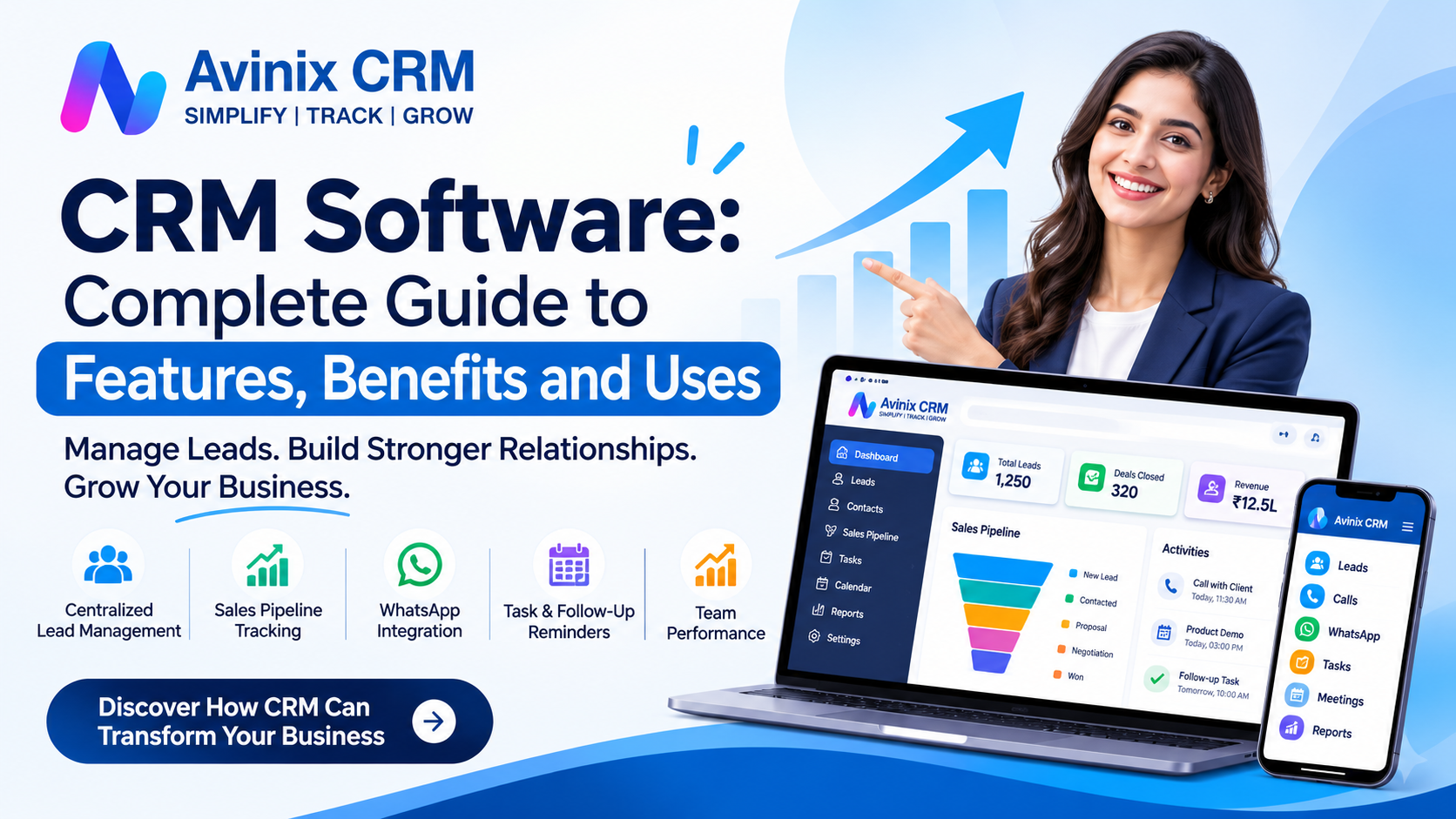
CRM Software: Complete Guide to Features, Benefits and Uses
Imagine receiving 50 new business enquiries in a week. Some arrive through your website, others through WhatsApp, phone calls, social media, and online portals. Your sales team records them in different spreadsheets, follows up through personal phones, and shares updates through messages.
After a few days, important questions become difficult to answer. Which leads have been contacted? Who is responsible for a particular customer? Which opportunities are close to conversion? How many enquiries are being missed?
This is where CRM software becomes essential.
Customer Relationship Management (CRM) software helps businesses organize customer information, manage sales activities, track leads, coordinate teams, and maintain communication from one centralized platform.
Whether you operate a startup, small business, or growing enterprise, the right CRM system can bring structure and visibility to your customer management process.
In this complete guide, you will understand what CRM software is, how it works, its essential features, major benefits, practical business applications, and how to choose the right solution for your organization.
1. What Is CRM Software?
CRM stands for Customer Relationship Management. CRM software is a technology platform that helps businesses manage relationships and interactions with existing customers and potential customers.
In simple terms, it acts as a centralized digital system where businesses can store customer details, record conversations, track enquiries, manage sales opportunities, schedule follow-ups, and monitor team activities.
Instead of maintaining separate records in Excel files, notebooks, emails, and messaging applications, employees can access relevant customer information through one system.
A typical CRM record may contain:
- Customer name and contact information.
- Lead source and enquiry details.
- Previous calls and conversations.
- Assigned salesperson.
- Current sales stage.
- Follow-up reminders and meeting schedules.
- Notes, activities, and purchase requirements.
The main objective is to help businesses understand their customers better and manage every stage of the customer relationship more systematically.
According to Microsoft's explanation of CRM, the broader approach combines strategy, processes, and technology to manage customer relationships across sales, marketing, and service.
Microsoft Dynamics 365+1
2. How Does CRM Software Work?
CRM software works by collecting customer information, organizing it into individual records, and helping employees manage the next steps in the customer journey.
Step 1: Lead Capture
Customer enquiries enter the CRM through website forms, advertisements, phone calls, WhatsApp, imports, or supported integrations.
Step 2: Lead Assignment
Leads are assigned to the appropriate salesperson or team. Some CRM platforms also support automatic lead distribution.
Step 3: Customer Communication
Sales representatives contact prospects through phone calls, meetings, email, or supported messaging channels and record relevant interactions.
Step 4: Follow-Up Management
The CRM helps employees schedule callbacks, meetings, tasks, and reminders so that the next action is clearly defined.
Step 5: Sales Pipeline Tracking
As prospects move through the sales process, their status changes from new enquiry to contacted, qualified, proposal, negotiation, and finally won or lost.
Step 6: Reporting and Performance Monitoring
Managers review lead activity, pipeline progress, pending follow-ups, and team performance to identify areas requiring attention.
This process creates a consistent approach to managing customer relationships rather than depending on individual employees to remember every interaction.
3. Essential Features of CRM Software
Not every business needs hundreds of complicated features. However, certain CRM capabilities are particularly important for managing customers and improving sales operations.
3.1 Lead Management
Lead management allows businesses to capture, organize, assign, and track potential customers.
A centralized lead management system helps businesses:
- Store all enquiries in one location.
- Track where each lead originated.
- Assign leads to sales representatives.
- Maintain customer information and interaction history.
- Identify pending and unattended enquiries.
- Monitor lead status throughout the sales journey.
For example, an automobile dealership receiving enquiries from its website, Meta advertisements, and online portals can manage all those enquiries through a centralized lead database.
Explore Avinix CRM Lead Management to understand how enquiries from multiple sources can be organized and assigned.
3.2 Customer Database Management
A CRM maintains a structured database containing customer and prospect information.
Unlike separate contact lists, employees can access customer details alongside communication history, sales activities, notes, and relevant requirements.
Custom fields can also help businesses capture information specific to their industry.
For example, a real estate company may store property preferences, budget, preferred location, and buying timeline.
3.3 Sales Pipeline Management
A sales pipeline represents the different stages through which a potential customer moves before purchasing.
Common pipeline stages include:
- New Lead
- Contacted
- Qualified
- Site Visit or Product Demonstration
- Proposal Shared
- Negotiation
- Won or Lost
A visual Kanban pipeline makes it easier to understand the status of opportunities.
Managers can identify stalled deals, review pending opportunities, and understand where prospects are dropping out of the sales process.
Learn more about Sales Pipeline Management.
3.4 Follow-Up and Task Management
Following up at the right time is essential for maintaining customer interest.
CRM software helps sales representatives schedule calls, meetings, reminders, and tasks against individual customer records.
For example, if a prospect requests a callback after three days, the salesperson can schedule a reminder rather than relying on memory.
Managers can also review overdue activities and understand which enquiries need attention.
3.5 Communication and Calling Management
Customer conversations often happen through multiple channels. A useful CRM should help employees maintain communication context instead of keeping information scattered across personal devices.
Depending on the platform, communication capabilities may include:
- Phone call tracking.
- Call history and recordings.
- WhatsApp conversations.
- Meeting records.
- Communication notes.
Avinix CRM supports SIM-based calling, where calls made through the phone's SIM can sync call logs, actual call time, duration, and recordings onto the relevant lead record.
Its SIM-Based Call Centre is particularly relevant for businesses operating telecalling teams.
3.6 WhatsApp CRM Integration
In India, many businesses use WhatsApp to communicate with prospects and customers.
A WhatsApp-integrated CRM can connect customer conversations with the corresponding lead record, helping sales teams maintain communication history and coordinate follow-ups.
Useful capabilities may include:
- Official WhatsApp Business API integration.
- Centralized customer conversations.
- Message templates.
- Quick replies.
- Bulk WhatsApp broadcasting, subject to applicable messaging policies.
With Avinix CRM WhatsApp Integration, businesses can manage official Meta WhatsApp Business conversations alongside customer records and sales activities.
3.7 Automation and Lead Assignment
CRM automation reduces repetitive administrative work by allowing predefined actions to happen when specific events occur.
Examples include:
- Assigning new enquiries to team members.
- Starting follow-up reminders.
- Triggering workflow steps when lead stages change.
- Organizing activities according to business processes.
Automation helps businesses maintain consistency, particularly when enquiry volumes increase.
3.8 Reporting and Team Performance Tracking
A CRM dashboard provides visibility into business and sales activities.
Depending on the platform, reports may include:
- Total enquiries received.
- Leads assigned to each salesperson.
- Pending follow-ups.
- Pipeline distribution.
- Sales opportunities.
- Individual and team activity.
These insights help business owners make decisions using recorded activity instead of relying entirely on verbal updates.
4. Major Benefits of CRM Software for Businesses
Implementing CRM software can improve several aspects of business operations.
4.1 Better Lead Organization
All customer enquiries are maintained in a centralized system. This makes it easier to identify new leads, assign responsibility, and track their progress.
4.2 Improved Sales Productivity
Sales representatives spend less time searching for customer details or preparing manual reports. They can focus more on contacting prospects and progressing opportunities.
4.3 Fewer Missed Follow-Ups
Reminders and task management help salespeople remember callbacks, meetings, and pending activities.
4.4 Improved Customer Experience
Employees can access previous conversations and understand customer requirements before making contact. This reduces repetitive questions and supports more relevant communication.
4.5 Better Team Coordination
When employees share access to customer records, managers and colleagues can understand what has already happened and what needs to happen next.
4.6 Increased Management Visibility
Business owners can review sales activities, pending enquiries, and pipeline progress without collecting updates from multiple employees.
4.7 Support for Business Growth
As a business expands, customer information and sales activities become more difficult to manage manually. A scalable CRM provides a structured process that can grow with the organization.
These benefits depend on choosing an appropriate platform and ensuring employees actually use it.
5. CRM Software vs Excel Spreadsheets
Many businesses initially manage customer information using Excel spreadsheets. This can work for small volumes, but difficulties increase when multiple employees need to coordinate their activities.
| Parameter | Excel Spreadsheets | CRM Software |
|---|---|---|
| Customer database | Manual records | Centralized records |
| Lead assignment | Manual sharing | Structured assignment |
| Follow-up reminders | Manual tracking | CRM reminders |
| Sales pipeline | Separate columns | Visual pipeline |
| Communication history | Separate records | Linked to leads |
| Team monitoring | Manual reporting | Activity visibility |
| Automation | Limited | Workflow-based |
| Mobile accessibility | File-dependent | CRM mobile apps, where available |
Excel remains useful for calculations, data analysis, and importing or exporting information. However, CRM software is generally more suitable when businesses need coordinated customer management and sales tracking.
6. Practical Uses of CRM Software Across Different Industries
CRM software is not limited to technology companies or large sales organizations. Different industries can adapt CRM workflows to their specific requirements.
| Industry | How CRM Software Is Used |
|---|---|
| Real Estate | Property enquiries, site visits, budgets, and booking follow-ups |
| Automobile Dealerships | Vehicle enquiries, test drives, sales calls, and booking status |
| Educational Institutes | Student enquiries, counselling, admissions, and fee follow-ups |
| Healthcare | Patient enquiries, appointment coordination, and communication records |
| Financial Services | Prospect tracking, consultations, and application follow-ups |
| IT and Software | Business enquiries, product demonstrations, proposals, and deal tracking |
| Retail | Customer databases, enquiries, and repeat-customer communication |
| Service Businesses | Enquiry management, appointments, tasks, and customer coordination |
Example: CRM for an Automobile Dealership
Consider a dealership receiving 100 enquiries from advertisements, website forms, and online portals.
Without a structured system, employees may handle these enquiries independently. Managers may struggle to determine whether customers were contacted or invited for test drives.
With CRM software, the dealership can:
- Centralize incoming enquiries.
- Assign leads to sales executives.
- Track calls and customer conversations.
- Schedule test-drive reminders.
- Monitor booking progress.
- Review salesperson activities.
The result is a more organized sales process with better visibility into every enquiry.
7. How to Choose the Right CRM Software for Your Business
Choosing CRM software requires more than comparing feature lists. The platform should match your business processes, team size, and future requirements.
Consider these factors before making a decision.
1. Understand Your Business Requirements
Identify the problems you want to solve. These may include missed enquiries, poor follow-ups, scattered customer information, or limited sales visibility.
2. Check Essential Features
Look for lead management, customer database management, sales pipeline tracking, reminders, reporting, and relevant communication integrations.
3. Evaluate Ease of Use
A complicated CRM can discourage employees from using it. Choose a platform with a simple interface and workflows that employees can understand.
4. Check Mobile Accessibility
Sales representatives frequently work outside the office. Mobile CRM access allows them to review customer information, update activities, and manage follow-ups while travelling or visiting customers.
5. Evaluate Automation
Consider whether the platform can automate repetitive activities such as lead assignment, reminders, and workflow steps.
6. Review Integration Requirements
Check whether the CRM supports the lead sources and communication channels your business already uses.
7. Consider Scalability and Cost
Evaluate pricing, user requirements, available features, and whether the system can support additional employees, teams, or business locations.
8. Request a Product Demonstration
Before purchasing, understand how the CRM works using your actual business scenarios. A demonstration can help identify usability issues and missing capabilities.
8. How Avinix CRM Helps Businesses Manage Sales and Customers
Businesses often start with spreadsheets, personal phone calls, and messaging applications because these tools are easy to adopt individually. The challenge appears when customer enquiries increase and several employees need to coordinate their work.
Avinix CRM is an all-in-one, mobile-first CRM platform designed to help startups, SMEs, sales teams, and growing organizations manage leads, sales pipelines, SIM-based calling, WhatsApp conversations, follow-ups, tasks, teams, and workflow automation.
Its relevant capabilities include:
- Centralized Lead Management: Capture and organize enquiries from multiple sources.
- Automated Lead Distribution: Assign incoming leads to team members using defined distribution rules.
- Sales Pipeline: Track opportunities through customizable Kanban stages.
- SIM-Based Call Centre: Sync call logs, actual call duration, and recordings from the phone.
- Official WhatsApp Integration: Manage Meta WhatsApp Business conversations alongside lead records.
- Follow-Up Management: Schedule calls, meetings, and reminders.
- Workflow Automation: Organize repetitive sales activities through predefined workflows.
- Team Performance Tracking: Monitor individual and team sales activities.
- Mobile Applications: Access CRM information through Android and iOS applications.
The objective is to bring important customer and sales activities into one platform without making everyday CRM usage unnecessarily complicated.
Looking for a CRM that simplifies everyday sales operations?
Explore Avinix CRM to understand how your business can manage leads, customer communication, follow-ups, and team activities from one centralized platform.
9. Common Mistakes Businesses Should Avoid When Implementing CRM
Buying CRM software does not automatically improve business operations. The implementation process matters just as much as the software itself.
Avoid these common mistakes:
Choosing too many unnecessary features: Start with the capabilities your team genuinely needs. Add complexity only when required.
Not defining a sales process: Establish clear lead stages, assignment responsibilities, and follow-up expectations before configuring the CRM.
Ignoring employee training: Employees should understand how to add leads, update records, schedule reminders, and maintain activity information.
Maintaining incomplete customer records: Inconsistent or outdated information reduces the usefulness of CRM reporting.
Failing to monitor adoption: Managers should periodically review whether employees are updating lead statuses and recording activities.
Expecting immediate results: CRM implementation requires process alignment, consistent usage, and regular improvement.
A practical approach is to begin with lead management, follow-ups, and pipeline tracking, then expand the workflow as the organization becomes comfortable with the system.
10. FAQs About CRM Software
1. What is CRM software in simple words?
CRM software is a digital platform that helps businesses manage customer information, sales enquiries, communication, and follow-ups in one place. It allows employees to understand customer history, track opportunities, and coordinate sales activities more effectively.
2. What are the five main features of CRM software?
Five important CRM features are customer database management, lead tracking, sales pipeline management, follow-up reminders, and reporting. These capabilities help businesses organize enquiries, manage customer interactions, monitor sales progress, and understand team performance.
3. Is CRM software useful for small businesses?
Yes. CRM software can help small businesses organize customer information, assign leads, manage follow-ups, and monitor sales activities. Even a small team can benefit from having a structured customer database instead of depending entirely on spreadsheets and individual employee records.
4. How does CRM software help increase sales?
CRM software supports sales by organizing enquiries, helping representatives prioritize follow-ups, tracking opportunities, and providing visibility into pending deals. It helps reduce administrative confusion and allows sales teams to concentrate on meaningful customer interactions. Actual results depend on execution and adoption.
5. What is the difference between CRM and ERP software?
CRM primarily focuses on managing customer relationships, sales activities, and customer interactions. ERP (Enterprise Resource Planning) focuses on coordinating broader internal business operations such as finance, inventory, procurement, and production. Some business platforms offer capabilities that overlap.
6. Can CRM software be used on mobile phones?
Yes. Many modern CRM platforms provide mobile applications or mobile-friendly interfaces. Employees can use them to access customer information, update lead statuses, review communication history, and manage follow-ups while working outside the office. Avinix CRM provides Android and iOS mobile applications.
7. How do I choose CRM software for my business?
Start by identifying your business requirements, sales process, team size, and communication channels. Evaluate essential features, ease of use, mobile accessibility, automation, integrations, pricing, and scalability. Request a demonstration before deciding whether the platform suits your daily operations.
Conclusion: Choose CRM Software That Supports Your Business Growth
Managing customer relationships becomes increasingly challenging as enquiries, employees, and sales activities grow. CRM software provides a structured way to organize customer information, track leads, manage sales pipelines, improve follow-ups, and monitor business performance.
However, the right CRM is not necessarily the one with the largest number of features. It is the one your employees can use consistently and that supports your actual business processes.
Whether you run a startup, small business, or established organization, investing in an easy-to-adopt and scalable CRM system can help create a more organized approach to sales and customer management.
Avinix CRM helps businesses simplify customer management, track sales activities, and grow with better visibility.
Simplify, Track and Grow with Avinix CRM
Ready to bring your leads, customers, sales pipeline, and follow-ups into one organized platform?
Discover how Avinix CRM can help your business improve sales visibility, coordinate teams, and manage customer relationships more efficiently.
- Website: www.avinixcrm.com
- Phone: +91 7770023600
- Action: Book a Demo
Avinix CRM – SIMPLIFY | TRACK | GROW