Best CRM Software for Small Businesses
Introduction
Managing a growing business becomes difficult when customer enquiries, sales conversations, and follow-ups are scattered across spreadsheets, WhatsApp messages, phone calls, and personal notebooks.
A potential customer might enquire about a product today, receive a quotation tomorrow, and expect a follow-up next week. If nobody records that interaction, the opportunity can easily be forgotten. As the number of enquiries increases, managing everything manually becomes even more challenging.
This is where the best CRM software for small businesses can make a meaningful difference. Customer Relationship Management (CRM) software helps businesses organize customer information, track enquiries, manage sales activities, and maintain consistent communication from a centralized platform.
However, choosing the right CRM is not simply about selecting software with the most features. It is about finding a practical solution that your team can understand, afford, and use consistently.
In this guide, we will explore how CRM software works, which features small businesses should prioritize, how to evaluate different solutions, and how to select a CRM that supports long-term business growth.
1. What Is CRM Software and Why Do Small Businesses Need It?
CRM stands for Customer Relationship Management. It refers to the processes and technology businesses use to manage interactions with potential customers and existing clients.
CRM software provides a centralized system for storing customer information, recording conversations, managing sales opportunities, and organizing follow-up activities.
For example, imagine a small digital marketing agency receiving 50 enquiries every month through its website, Google Business Profile, phone calls, and social media campaigns.
Without a CRM, employees might maintain separate spreadsheets and personal WhatsApp conversations. The business owner may struggle to understand:
- How many enquiries have been received?
- Which leads have been contacted?
- Which prospects are interested in purchasing?
- Which customers need another follow-up?
- How many deals are currently in progress?
- Which salesperson is performing effectively?
A CRM brings this information together, making customer management more organized and measurable.
Why Is CRM Important for Small Businesses?
Small businesses often operate with limited employees and resources. They cannot afford to waste valuable time searching for customer information or repeatedly contacting the same prospects.
A CRM helps address these challenges through:
- Better lead organization: Store enquiries and customer details in one centralized location.
- Consistent follow-ups: Schedule reminders for calls, meetings, and important customer interactions.
- Improved sales visibility: Understand which opportunities are progressing and which require attention.
- Team coordination: Allow employees to access relevant customer history.
- Better decision-making: Review sales activities and identify operational bottlenecks.
The objective is not to introduce unnecessary complexity. It is to make everyday business operations easier to manage.
2. Best CRM Software for Small Businesses: Essential Features to Look For
Not every business requires an advanced enterprise CRM. A small company should prioritize features that solve its actual operational problems.
Here are the most important capabilities to evaluate.
A. Lead Management and Customer Database
Lead management is one of the most important CRM functions.
Every enquiry should have a dedicated record containing relevant information, such as:
- Customer name and contact details.
- Enquiry source.
- Product or service interest.
- Assigned salesperson.
- Current lead status.
- Previous conversations.
- Next follow-up date.
For example, a real estate agency may receive enquiries from property portals, website forms, advertisements, and direct phone calls.
A centralized lead management system allows the team to manage all these enquiries without switching between multiple platforms.
Look for CRM software that supports lead assignment, customer records, custom fields, lead filtering, and Excel or CSV imports.
B. Sales Pipeline Management
A sales pipeline represents the different stages a potential customer passes through before making a purchase.
A typical sales pipeline might include:
- New Lead
- Contacted
- Interested
- Qualified
- Proposal Shared
- Negotiation
- Won or Lost
A visual Kanban pipeline makes it easier to understand where every opportunity stands.
For example, a software development company can identify how many enquiries are waiting for quotations and how many prospects are negotiating project requirements.
This helps business owners identify stalled opportunities and decide where their sales team should concentrate its efforts.
C. Follow-Up Reminders and Task Management
Many businesses generate sufficient enquiries but struggle to follow up consistently.
A customer may request a quotation and expect a callback after two days. If the salesperson forgets, the business may lose an otherwise valuable opportunity.
CRM software should allow employees to:
- Schedule call reminders.
- Create follow-up tasks.
- Schedule customer meetings.
- Track pending activities.
- Review overdue tasks.
- Maintain interaction history.
A structured follow-up process ensures that important customer commitments are not dependent entirely on someone's memory.
D. WhatsApp Integration
WhatsApp has become an important customer communication channel for many Indian businesses.
However, managing customer conversations through employees' personal WhatsApp accounts creates operational problems. Important discussions may remain inaccessible to other team members.
A CRM with official WhatsApp Business integration can connect customer conversations with their corresponding lead records.
When evaluating WhatsApp CRM functionality, check whether it supports:
- Official Meta WhatsApp Business API connectivity.
- Centralized customer conversations.
- Conversation history linked to leads.
- Message templates.
- Quick replies.
- Appropriate bulk messaging capabilities.
Also verify applicable Meta messaging policies and charges before implementation.
E. Calling and Call Tracking
Phone calls remain important for businesses such as real estate agencies, automobile dealerships, educational institutes, and service providers.
A CRM with calling-related capabilities can help maintain records of customer conversations.
Depending on the solution, look for:
- Incoming and outgoing call logs.
- Call duration and timestamps.
- Call recordings, where supported and legally permitted.
- Missed-call tracking.
- Call reminders.
- Customer-wise communication history.
This becomes especially useful when multiple employees handle customer enquiries.
F. Mobile CRM Applications
Small business owners and sales representatives are not always working from an office.
They may visit customers, attend meetings, inspect properties, or manage operations from different locations.
A mobile-first CRM allows authorized employees to access customer information and sales activities through their smartphones.
Consider whether the application supports:
- Lead management.
- Customer information.
- Sales pipeline updates.
- Follow-up reminders.
- Task management.
- Communication history.
A practical mobile experience can improve adoption because employees can update information while working instead of postponing it until they return to their desks.
G. Reporting and Team Performance Tracking
Business owners need visibility into sales activities without repeatedly asking employees for manual updates.
A useful CRM dashboard should help answer questions such as:
- How many new leads arrived this month?
- How many leads were contacted?
- How many opportunities are progressing?
- Which follow-ups are overdue?
- How is each salesperson performing?
- How many deals were successfully closed?
Reporting requirements will depend on the size and nature of the business. Start with the information that genuinely helps you make decisions.
3. CRM Software vs Excel: Which Is Better for Small Businesses?
Excel spreadsheets are useful for maintaining basic customer lists. They are inexpensive, familiar, and easy to customize.
However, managing an expanding sales operation through spreadsheets can become difficult.
| Business Requirement | Excel Spreadsheet | CRM Software |
|---|---|---|
| Customer database | Manual records | Centralized customer records |
| Lead assignment | Manual allocation | Automated assignment where supported |
| Follow-up reminders | Separate manual process | Integrated reminders and tasks |
| Sales pipeline | Manual columns | Visual pipeline management |
| Communication history | Scattered records | Linked customer activities |
| Team coordination | Difficult to synchronize | Shared access and ownership |
| Reporting | Manual calculations | CRM dashboards and reports |
| Mobile accessibility | Limited workflow flexibility | Dedicated mobile experience where available |
When should a business move from Excel to CRM?
Consider switching when:
- Multiple employees manage customer enquiries.
- Leads are coming from several sources.
- Follow-ups are regularly missed.
- Managers cannot easily track sales activities.
- Customer information is duplicated.
- Preparing sales reports takes too much time.
Excel can still be useful for analysis and data exports. However, it should not necessarily remain the primary system for managing an active sales team.
4. How to Choose the Right CRM for Your Small Business
Selecting CRM software requires more than checking a feature list. The solution must match your business processes and the way your employees work.
Follow these steps before making a decision.
Step 1: Identify Your Business Requirements
Start by identifying your biggest operational problems.
For example:
| Business Problem | Required CRM Capability |
|---|---|
| Enquiries are getting missed | Centralized lead management |
| Employees forget callbacks | Follow-up reminders |
| Sales progress is unclear | Sales pipeline |
| Conversations are scattered | WhatsApp integration |
| Managers lack visibility | Performance dashboard |
| Employees work outside the office | Mobile CRM application |
Avoid purchasing features simply because they sound impressive.
Step 2: Evaluate Ease of Use
A CRM is useful only when employees regularly update it.
Before selecting a platform, check:
- Is the interface easy to understand?
- Can employees add and update leads quickly?
- Is the mobile application practical?
- Can managers monitor activities without complicated procedures?
- Is employee onboarding straightforward?
A simpler CRM that your team consistently uses may be more valuable than a complicated platform with dozens of unused features.
Step 3: Understand the Total Cost
CRM pricing models differ between providers.
Some charge per user, while others offer packages based on the number of employees, features, or usage.
When calculating the total cost, consider:
- Monthly or annual subscription charges.
- Number of users.
- WhatsApp API setup and messaging charges.
- Additional integration expenses.
- Implementation costs.
- Training and support requirements.
- Taxes and renewal conditions.
Do not evaluate software only by its advertised starting price. Calculate what your business will actually pay as the team grows.
Step 4: Check Integration Requirements
Your CRM should fit into your existing business ecosystem.
For example, businesses receiving enquiries from IndiaMART, Justdial, property portals, or Meta advertisements may need those leads transferred into a centralized system.
Check which integrations are available, how data is transferred, and whether additional configuration is required.
Step 5: Request a Product Demonstration
A product demonstration allows you to evaluate how the software handles your actual business processes.
Ask the provider to demonstrate:
- Adding and assigning a new enquiry.
- Scheduling a follow-up.
- Updating the sales pipeline.
- Recording customer communication.
- Reviewing team performance.
- Accessing records through a mobile application.
Use your real business scenarios to evaluate the platform rather than relying exclusively on marketing presentations.
5. How Different Small Businesses Can Benefit from CRM Software
CRM software is useful across multiple industries, although the implementation requirements differ.
Real Estate Agencies
Real estate businesses receive enquiries for different properties, locations, budgets, and configurations.
A CRM helps agents organize property enquiries, assign prospects, record customer preferences, schedule site visits, and track negotiations.
Managers can also review which opportunities require additional attention.
Automobile Dealerships
Car and motorcycle showrooms receive enquiries through advertisements, websites, walk-ins, and online automobile portals.
A CRM helps sales executives track vehicle preferences, customer interactions, test-drive appointments, and purchase follow-ups.
Sales managers can monitor enquiry ownership and pipeline progress across the team.
Educational Institutes
Coaching classes and training institutes frequently manage enquiries from students and parents.
A CRM can organize course enquiries, assign counsellors, schedule counselling sessions, and track admission progress.
Healthcare and Clinics
Clinics can use CRM-style customer management systems to organize non-clinical enquiries, appointment requests, and communication with prospective patients.
However, healthcare businesses must evaluate privacy, access controls, and applicable data protection requirements before storing sensitive information.
IT and Service-Based Companies
Software agencies, consultants, and service providers can use CRM systems to manage enquiries, project discussions, proposals, and sales opportunities.
This provides better visibility into the journey from initial enquiry to confirmed business.
6. Common CRM Implementation Mistakes Small Businesses Should Avoid
Purchasing software does not automatically improve sales operations. The implementation process matters.
Avoid these common mistakes.
1. Implementing too many features immediately
Start with lead management, assignments, follow-ups, and pipeline tracking. Introduce additional workflows when the team is comfortable.
2. Not defining lead stages
Every employee should understand what New, Contacted, Qualified, Won, and Lost mean within your business.
3. Allowing incomplete customer records
Establish minimum information requirements so employees maintain useful and consistent records.
4. Ignoring employee adoption
Explain how the CRM reduces repetitive work and makes daily activities easier. Provide practical training.
5. Not reviewing reports
Business owners should periodically examine lead activity, follow-up completion, and pipeline movement.
6. Choosing software based only on price
A low-cost solution may become expensive if it lacks essential capabilities or requires multiple disconnected tools.
The right approach is to introduce CRM gradually, establish clear processes, and continuously improve how your team uses it.
7. How Avinix CRM Helps Small Businesses Manage Sales and Customers
Simplify | Track | Grow
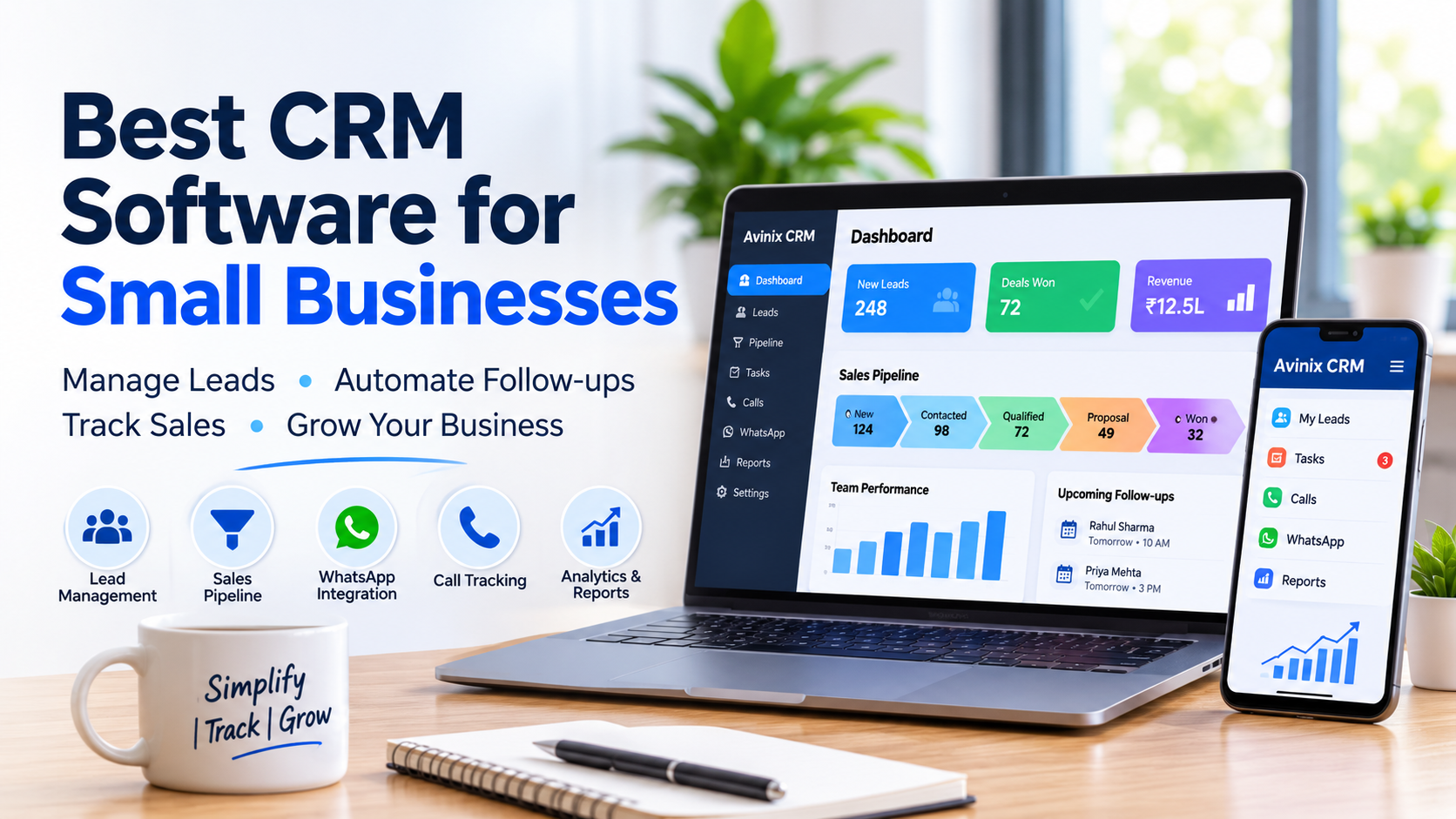
For businesses looking for an all-in-one mobile-first CRM, Avinix CRM provides a centralized platform for managing leads, sales pipelines, customer communication, and team activities.
Developed by Avinix Digital Private Limited, the platform is designed for startups, small businesses, SMEs, sales teams, and larger organizations.
Some relevant capabilities include:
- Centralized Lead Management: Organize enquiries from supported sources, imports, calls, and communication channels.
- Automated Lead Distribution: Assign incoming leads to team members using defined distribution rules.
- Sales Pipeline Management: Track opportunities through customizable Kanban stages.
- Follow-Up Management: Schedule calls, meetings, reminders, and tasks against customer records.
- Official WhatsApp Integration: Manage official Meta WhatsApp Business conversations alongside lead information.
- SIM-Based Call Centre: Sync phone call logs, actual call time, duration, and supported call recordings onto lead records.
- Mobile CRM: Access lead and sales information through Android and iOS applications.
- Team Performance Tracking: Review team activity, lead progress, and sales performance through dashboards.
These capabilities are particularly useful for businesses that manage enquiries through multiple channels and need better coordination between sales representatives.
Why Consider a Mobile-First CRM?
Many small business employees spend significant time outside their offices.
A mobile-first CRM makes it easier to access customer information, review follow-up activities, and update sales opportunities while working remotely or visiting customers.
Rather than maintaining separate records across spreadsheets, personal phones, and messaging applications, businesses can manage relevant sales activities through one centralized platform.
Want to see how this works in practice?
Explore Avinix CRM features to understand how lead management, sales pipelines, WhatsApp communication, calling, and follow-up management work together.
8. A Practical CRM Implementation Plan for Small Businesses
Once you select your CRM, introduce it through a structured process.
A simple implementation approach can look like this:
Week 1: Organize customer information
- Collect existing lead and customer records.
- Remove duplicate entries.
- Define required customer fields.
- Import relevant information.
Week 2: Configure the sales process
- Create sales pipeline stages.
- Define lead assignment rules.
- Set up follow-up activities.
- Establish employee responsibilities.
Week 3: Train employees
- Demonstrate everyday CRM activities.
- Explain how to update lead records.
- Train employees on reminders and communication history.
- Establish basic data-entry guidelines.
Week 4: Review and improve
- Examine lead distribution.
- Check follow-up completion.
- Review pipeline progress.
- Collect employee feedback.
- Improve workflows where necessary.
The timeline can vary depending on the number of users, existing data, and integration requirements. The objective is to establish a consistent system rather than rush implementation.
9. Frequently Asked Questions About CRM Software for Small Businesses
1. Which CRM software is best for small businesses?
The best CRM software depends on your business requirements, team size, budget, and sales process. Look for easy lead management, follow-up reminders, pipeline tracking, mobile access, communication integration, and reporting. Always evaluate the software through practical demonstrations before making a decision.
2. Is CRM software necessary for a small business?
CRM software is useful when a business regularly handles customer enquiries, sales opportunities, and follow-ups. Even a small team can benefit from centralized customer records and better coordination. Businesses with very few customers and simple processes may initially manage without a dedicated CRM.
3. What features should a small business CRM include?
A small business CRM should ideally include lead management, customer database management, sales pipeline tracking, follow-up reminders, task management, and reporting. Depending on the business, WhatsApp integration, calling, automated lead assignment, and mobile applications can also be important.
4. Can CRM software help increase sales?
CRM software can support better sales management by organizing enquiries, improving follow-up consistency, and providing visibility into sales opportunities. However, software alone does not guarantee increased sales. Results also depend on lead quality, employee performance, pricing, customer experience, and the overall sales process.
5. Is cloud-based CRM software suitable for small businesses?
Yes. Cloud-based CRM software can allow authorized employees to access customer and sales information through supported internet-connected devices. It can reduce dependence on locally maintained spreadsheets and make collaboration easier. Businesses should also review security, backup, access control, and data management policies.
6. Can CRM software integrate with WhatsApp?
Some CRM platforms support official WhatsApp Business integration through Meta's WhatsApp Business Platform. Depending on the solution, teams can manage conversations, templates, and customer communication from a centralized interface. Businesses should verify API support, messaging policies, and applicable charges before purchasing.
7. How much does CRM software cost for a small business in India?
CRM pricing in India varies depending on the provider, billing model, number of users, and included features. Some solutions charge per user, while others offer fixed packages. Businesses should also consider GST, integration expenses, implementation charges, and WhatsApp-related costs.
Conclusion: Choose a CRM That Supports Your Business Growth
Choosing the best CRM software for small businesses is an important step towards building an organized and scalable sales operation.
The right platform should help you centralize customer information, manage enquiries, maintain consistent follow-ups, track sales opportunities, and coordinate your team without introducing unnecessary complexity.
Before selecting a CRM, understand your business requirements, evaluate essential features, calculate the total cost, and ensure your employees can use the platform comfortably.
If you are looking for a simple, powerful, and mobile-first solution, Avinix CRM brings lead management, sales pipeline tracking, SIM-based calling, official WhatsApp communication, follow-up management, and team performance visibility together.
Start building a more organized sales process with Avinix CRM.
Simplify Your Sales Process with Avinix CRM
SIMPLIFY | TRACK | GROW
Manage leads, track customer interactions, organize follow-ups, and monitor your sales team from one centralized platform.
Call Now +917770023600