Call Recording
Call Recording for Every Lead Conversation
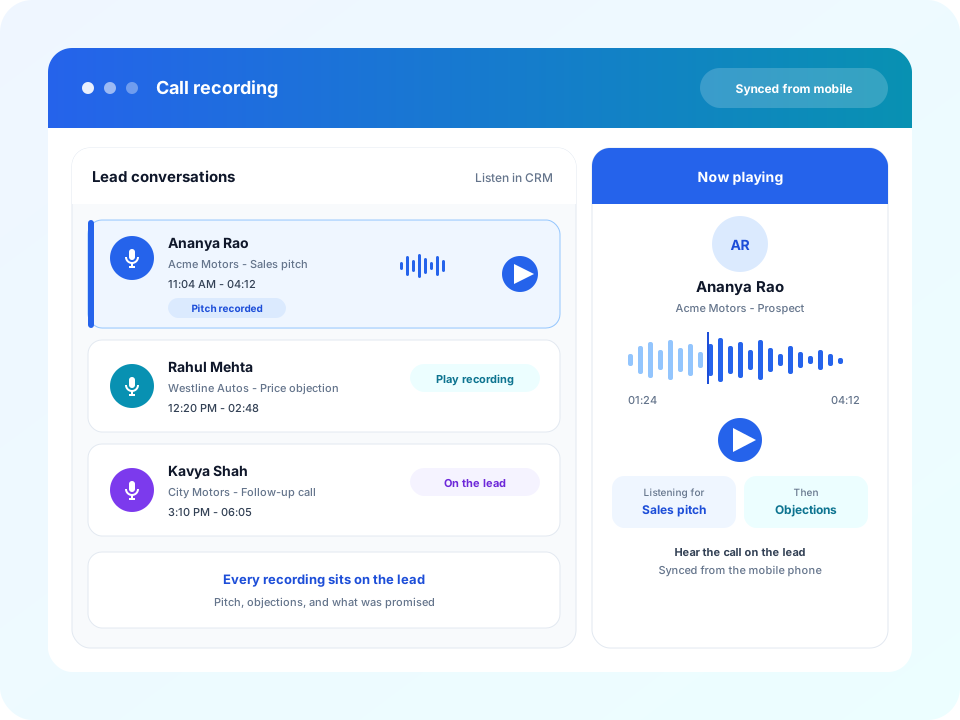
Avinix CRM syncs call recordings from the mobile phone into the software. Open a lead and listen to the conversation — the sales pitch, how objections were handled, and what was promised — so every phone communication stays on the record instead of on one handset.
- Sync call recordings from the mobile phone into the CRM
- Listen to the full conversation on the lead record
- Review the sales pitch and how objections were handled
- Keep every phone communication with that prospect
A Lead Conversation Should Not Stay on the Handset
Sales calls are where the pitch, the objection, and the promise happen. If the recording never leaves the phone, the rest of the team only has a note. Call recording puts that conversation on the lead anyone can open.
- The recording stays on one person's phone after the call ends
- A manager hears a recap of the pitch, not the pitch
- Objection handling cannot be reviewed once the call is over
- The next teammate cannot hear what was promised to the lead
The call still happens on the mobile phone. Avinix CRM is where the team listens to it.
How Call Recording Works
Use it when the team needs the conversation itself — not only a log that someone dialled.
Step 1
Call from the mobile phone
The team places and receives calls on the phone they already carry. The conversation is recorded on that handset.
Step 2
Sync the recording into the CRM
Avinix CRM brings the phone recording into the software and attaches it to the lead the call belongs to.
Step 3
Open it on the prospect record
Playback sits with the call log, notes, and history, so the conversation is not stuck on one device.
Step 4
Listen before the next step
A manager or the next owner can hear the pitch, the objections, and what was agreed before they follow up.
What the Team Can Listen To
Sales pitching
Hear how the offer was explained, which points landed, and where the conversation drifted.
Objection handling
Replay the objection the prospect raised and the response the agent gave, then coach from that moment.
Lead communication
Keep what was asked, promised, and scheduled on the same lead, so later follow-up starts from the call itself.
Every Recording Stays With the Lead
Playback on the record
Play the synced recording from the prospect, next to the time, duration, and outcome of that call.
Pitch review
Hear the sales pitch as it was delivered, so coaching is about that conversation.
Objection coaching
Replay how a price, timing, or product objection was handled before the next attempt.
Lead communication history
Keep phone conversations with the enquiry so later follow-up does not start from a blank note.
Handoff with the call intact
The next person opens the lead and listens, instead of asking what was said on the phone.
With the rest of the CRM
Recordings sit beside call tracking, the owner, WhatsApp, and the next callback already on that lead.
Who This Is For
- Managers reviewing a pitch before the next follow-up
- Sales floors coaching objection handling from real calls
- Teams that need every lead communication on the record
- A teammate picking up a lead who needs to hear what was said
Related Features
Playback sits beside call tracking and the SIM-based call centre log, so a manager can review the pitch on lead activity history.
Lead Management
Capture, assign, and track every enquiry on one record — from import, ads, WhatsApp, and portal sources through follow-up.
SIM-Based Call Centre
Call from the phone’s SIM and sync the call log, actual call time, and recording onto the lead.
Call Tracking
Sync every mobile call into the CRM — dialed, missed, and incoming — with the recording on the lead, so agent effort is visible.
Mobile CRM
A CRM with an app. Open the same lead on Android and iOS — owner, reminders, WhatsApp context, and pipeline — from the floor or on site.
Follow-Up Management
Keep calls, meetings, and the next action on the lead so follow-up is owned — not left in a notebook or chat.
Team Performance Tracking
Track how the sales team and each person are performing on leads, follow-ups, pipeline, and wins.
Frequently Asked Questions
Yes. Call recordings from the mobile phone sync into Avinix CRM and sit on the lead, so the team can listen from the software. Follow the call-recording rules that apply to your team and callers.
Listen to a Call on the Lead
Book a demo to walk through synced phone recordings, pitch review, and objection handling on the same prospect record.